

Flows for Shared Builders
Flows can now be accessed by Shared Builders — the collaborators you invite to build within a specific Knack app. This article explains how Flows are organized between account owners and Shared Builders, and how to get the most out of building Flows together.
Overview: Shared Flows and Private Flows
When a Knack app has Shared Builders, that app has two Flows areas:
- Shared Builders have access to the Shared Flows area for the app they've been invited to. This is where they can build and manage Flows alongside the account owner.
- Account owners have access to both the Shared Flows area for each app and a Private Flows area. The Private area houses all Flows and linked app connections that existed before July 1, 2026, along with any Flows you want to keep exclusive to account owners going forward.
| Area | Who can access | What it contains |
|---|---|---|
| Shared | Account owners + all Shared Builders with access to that app | Flows built and managed within a specific Knack app |
| Private | Account owners only | All Flows and linked app connections created before July 1, 2026, plus any Flows you want to keep exclusive to account owners |
Each Knack app has its own dedicated Shared area. Flows built in one app's Shared area are completely separate from every other app — a Shared Builder working on App A has no visibility into Flows built for App B, even if those are also in a Shared area.
We strongly recommend that account owners build new Flows in the Shared area of each app. Building there means your Shared Builders can collaborate on, view, and maintain those Flows alongside you — which is the intended way to work together. Reserve the Private area only for automations that should never be visible to collaborators.
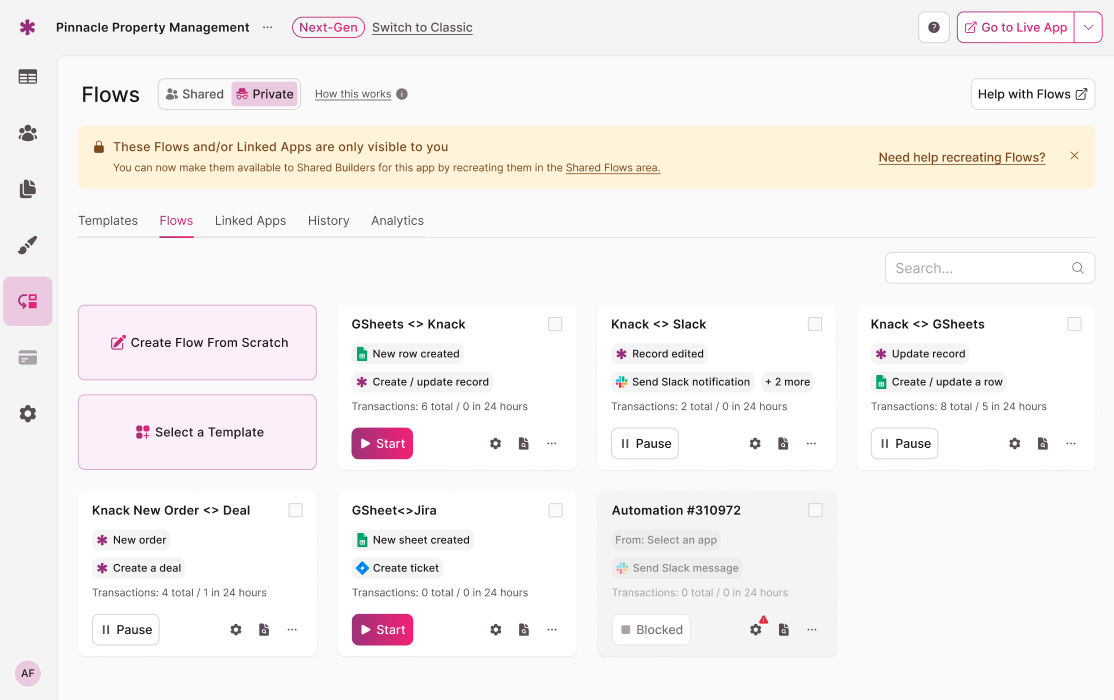
Account Owners can find their pre-existing flows and Linked Apps in the "Private" flows area.
Account Owners: Navigating Between Areas
As an account owner, you have access to both the Shared Flows area and your Private Flows.
When you click Flows within a Knack app, you will land in that app's Shared Flows area by default. A toggle at the top of the Flows screen lets you switch over to your Private Flows when you need to.
Note: For apps created before July 1, 2026, the toggle to access your Private Flows will be available. For apps created after July 1, 2026, you will go directly into the Shared Flows area when clicking Flows within that app — the Private Flows toggle will not appear for new apps. This is intentional: new apps are built with the Shared model in mind.
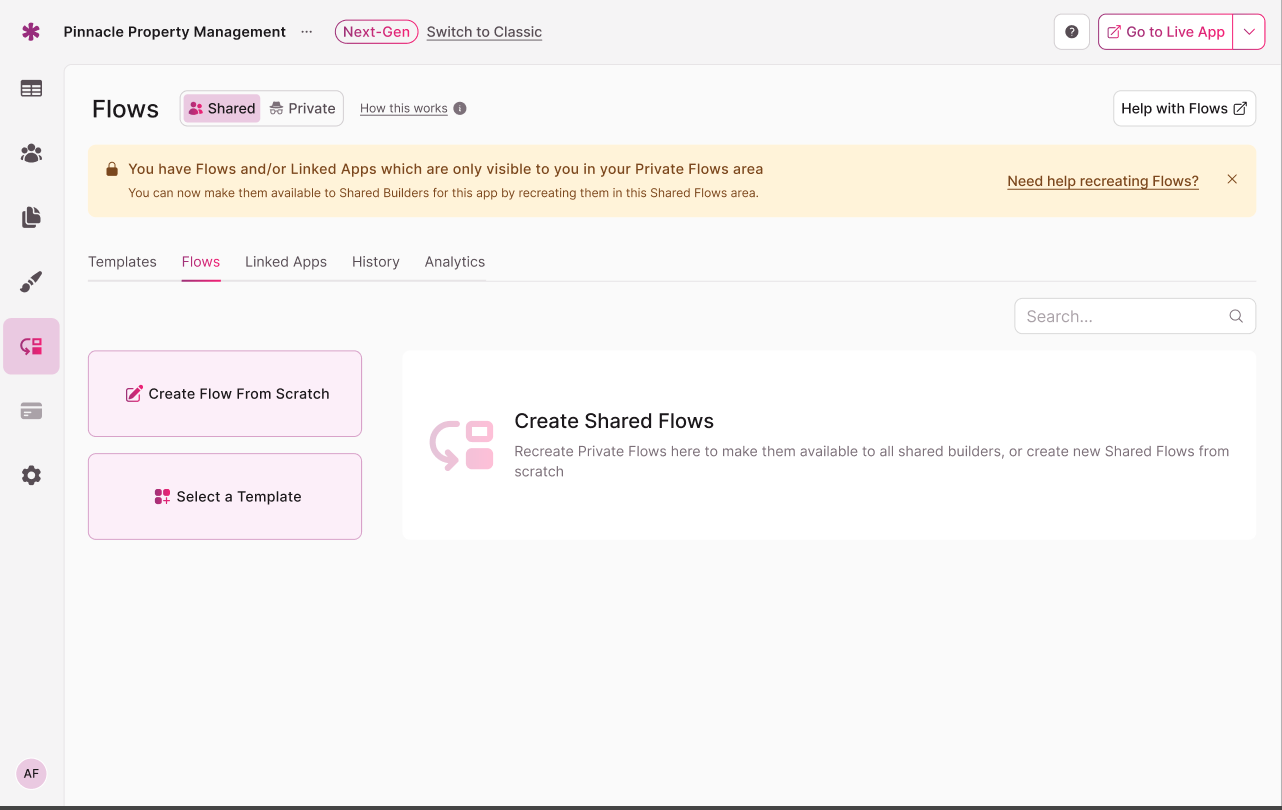
Account Owners can toggle between "Shared" flows area in an app, and their "Private" flows area
Building Flows as an Account Owner
Any Flow you create while inside a Knack app will be created in that app's Shared Flows area by default. This is where you and your Shared Builders will do most of your work together.
If you need to create a Flow that Shared Builders should not see or access, switch to Private Flows first before creating it.
Shared Builders: How Flows Access Works
Shared Builders can access Flows directly from the Builder area of any Knack app they have been invited to.
Here is exactly what Shared Builders can and cannot do:
Shared Builders can:
- View all Flows built in the Shared area of the specific app they have access to
- Create new Flows in that app's Shared area
- Edit and delete any Flow in that app's Shared area
Shared Builders cannot:
- Access your Private Flows — that area is exclusive to Account owners
- See or access Flows from any other Knack app, even if those Flows are also in a Shared area
- If a Shared Builder was added to 2 knack apps, they need to navigate into the Flows area of each knack app to build/manage their flows
- Access connection credentials ("Linked apps") or integrations outside the context of the app they are working in
Important: All Shared Builders with access to a given app have equal access to that app's Shared Flows area. Any Shared Builder can create, modify, or delete any Flow there — there are no individual permission levels within the Shared area. We recommend coordinating with your team before deleting Flows.
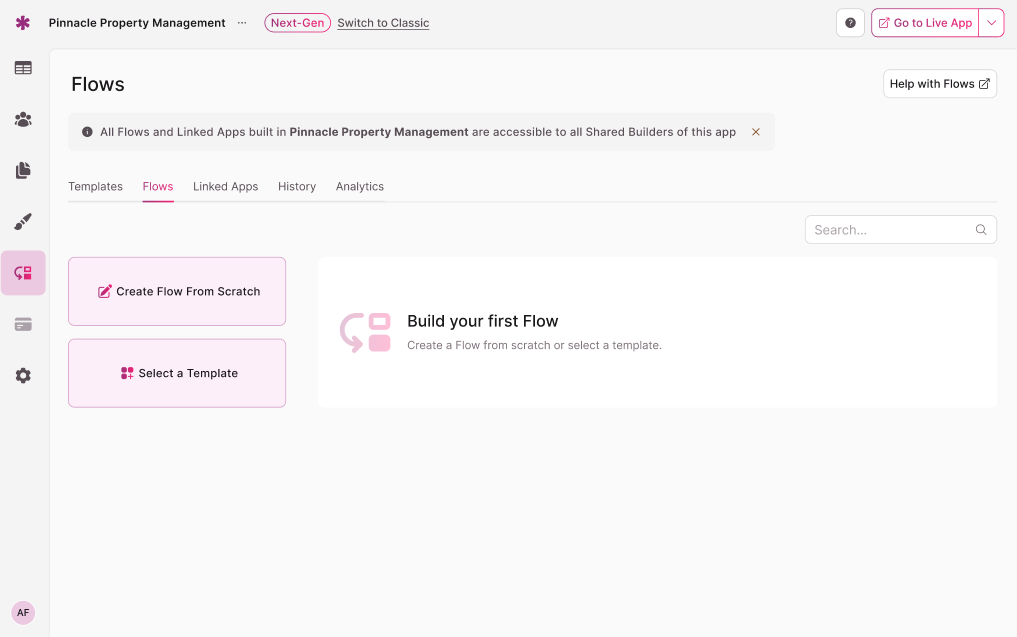
Shared Builders will not have the ability access the "Private" flows area
Frequently Asked Questions (FAQs)
Will Shared Builders be able to see my existing Flows?
No. Your existing Flows remain in your Private Flows area, which only account owners can access. Shared Builders only see the Shared Flows area for the specific app they have been given access to.
Can a Shared Builder on App A see Flows from App B?
No. Each Knack app has its own isolated Shared Flows area. Flows built in one app's Shared area are completely separate from every other app. A Shared Builder only ever sees the Flows belonging to the specific app they have been granted access to.
What happens if a Shared Builder deletes a Flow?
Deleted Flows can be recovered. Navigate to the Flows tab, use the status filter dropdown to select Deleted, and click Recover next to the Flow you want to restore.
Can I move an existing Flow from Private Flows into the Shared area?
Not at this time. Moving Flows between the Private area and the Shared area is not supported in the current release. The best approach is to rebuild the Flow in the Shared area if you want it accessible to Shared Builders.
Do I need to set anything up before Shared Builders can access Flows?
Nope. A Shared Flows area is automatically available for every Knack app. As soon as a collaborator is granted Shared Builder access to an app, they can access that app's Shared Flows area.
I have a new app and don't see a Private Flows toggle. Is that normal?
Yes, that is expected. Apps created after July 1, 2026 take you directly into the Shared Flows area. Your Private Flows are still accessible when you open Flows from any of your older, pre-existing apps.
Related Articles
Updated about 1 month ago