

Athenahealth
Connecting your Athenahealth system to Knack Flows allows you to securely send data from Athenahealth to your Knack apps.
What You'll Learn
The Athenahealth connector in Knack Flows lets you pull patient and appointment data from Athenahealth's athenaOne, Certified API, or FHIR APIs into your Knack apps. This article covers what you need before you start, how to set up the connection, how to move your integration from athenahealth's Preview environment to Production, and what each connection type can do.
About Athenahealth
Athenahealth is a cloud-based healthcare technology company. Its main product, athenaOne, combines electronic health records (EHR), practice management, medical billing, revenue cycle management, and patient engagement tools into one platform for ambulatory practices. Practices use Athenahealth to manage patient records, scheduling, and billing in one connected system instead of several separate tools.
Athenahealth exposes its data through three separate APIs, which is why Knack Flows has three distinct connection types for it: athenaOne, Certified API, and FHIR. Each API gives access to a different slice of Athenahealth's data, so the connection type you use in Flows depends on which API your Athenahealth developer account has access to.
Which Connection Type Should I Use?
Athenahealth offers three types of APIs, and each has its own connection type in Flows. For more detail, see athenahealth's API overview.
- athenaOne: Athenahealth's own APIs, with 700+ endpoints across administrative, clinical, and financial functions, including write endpoints. Use this when you need the broadest set of athenaOne data and workflows. It requires an athenahealth API contract, plus a Tech Spec and solution validation before you go live.
- FHIR: Standard HL7 FHIR endpoints for clinical data (USCDI) in a format that works with common healthcare tools. Use this when you want standardized data instead of athenahealth-specific formats. Athenahealth recommends FHIR R4 for new projects. Many FHIR endpoints are also Certified APIs.
- Certified API: The endpoints athenahealth has certified to the ONC Health IT Certification Program, mostly FHIR R4 endpoints for USCDI clinical data. Athenahealth offers them free of charge. Use this when the Certified endpoints cover the data you need. For provider or system-to-system apps, a practice enables your app from athenaOne without a contract.
Before You Start
Make sure you have the following in place before you create your connection:
- An athenahealth account with API access. For athenaOne and FHIR, your organization needs an agreement with athenahealth that covers API use (athenahealth calls this a Platform Services contract) for the athenaOne account you want to connect. A contract isn't required if you use Certified APIs only. If you haven't purchased Platform Services APIs yet, you can start the process on athenahealth's contracting page. If you're not sure whether you already have one, ask your athenahealth representative. You can also learn more about Platform Services API solutions and athenahealth's support options in athenahealth's customer support guide.
- An athenahealth developer account. You'll create this in the Athena developer portal as part of the setup below.
- Someone to build and test the integration. This is usually a developer or technical lead at your organization. Knack provides the Flows connector, but you build and test your own integration, and your organization submits it to athenahealth for review.
- A Tech Spec and solution validation, if you use athenaOne. If you use the athenaOne connection type, athenahealth requires an approved Technical Specification (Tech Spec) form before it moves your integration to solution validation and production deployment, so plan time for both. You don't need a Tech Spec or solution validation if you use the Certified API or FHIR connection types. See Moving From Preview to Production.
- The right agreements for patient data. If your integration will handle protected health information (PHI), you need a business associate agreement (BAA) with athenahealth. If the data also passes through your Knack app, you need to be on a Knack HIPAA plan with a signed BAA with Knack. Knack's BAA covers the Knack platform only. See Flows for HIPAA / GovCloud customers.
No BAA = no PHI.Don't send PHI through an integration until the right agreements are in place on both sides. Athenahealth is a third-party system that operates outside Knack's environment, so you're responsible for your agreements with them.
Setting Up Your Athenahealth Connection
Connecting Athenahealth to Knack Flows requires creating an app in the Athena developer portal first, then pasting that app's credentials into Flows.
Three connection types, one setup processYou can set up a connection for Athenahealth (athenaOne), Athenahealth (Certified API), or Athenahealth (FHIR) in Flows.
The setup steps are the same for all three. Which one you use depends on which API access Athenahealth has granted your account.
To set up your Athenahealth connection, you'll first create an app in the Athena developer portal:
-
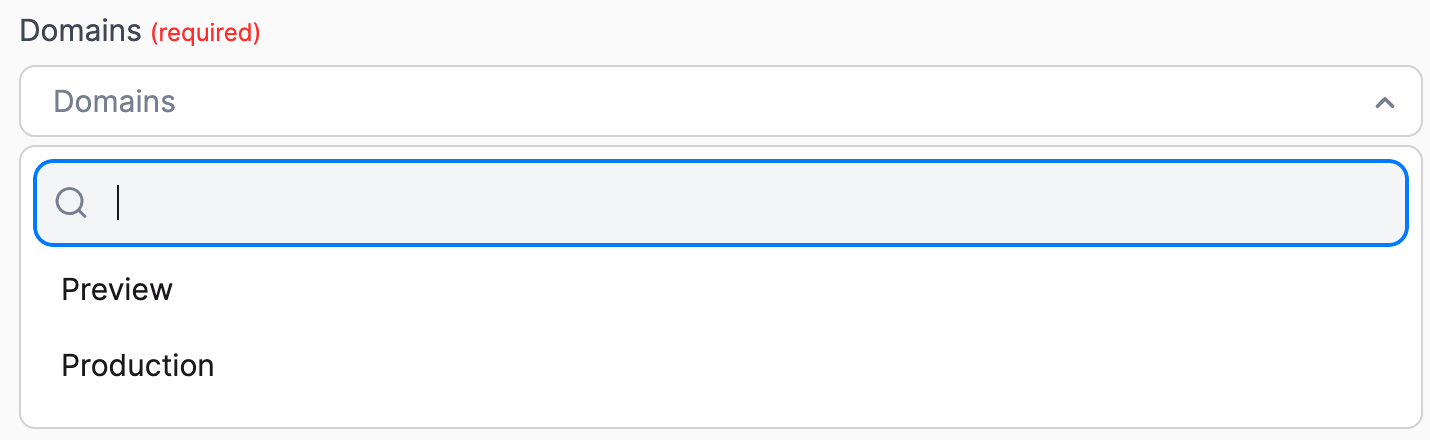
Decide whether the app you're creating in the Athena developer portal should be set to Preview or Production. If you're not sure, choose Preview for now. You can change this later. Athenahealth requires a review before an integration goes live in Production. See Moving From Preview to Production.
-
Go to the Athena developer portal.
-
If you don't already have an account, create one and log in.
-
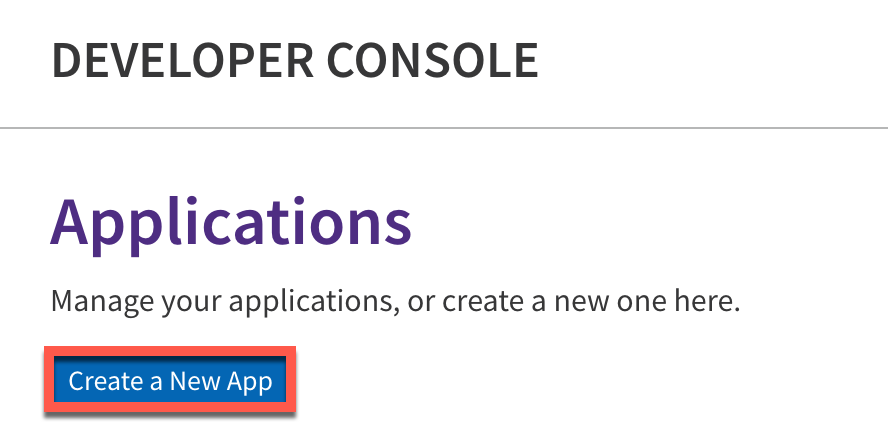
Inside the developer portal, select Create a New App.
-
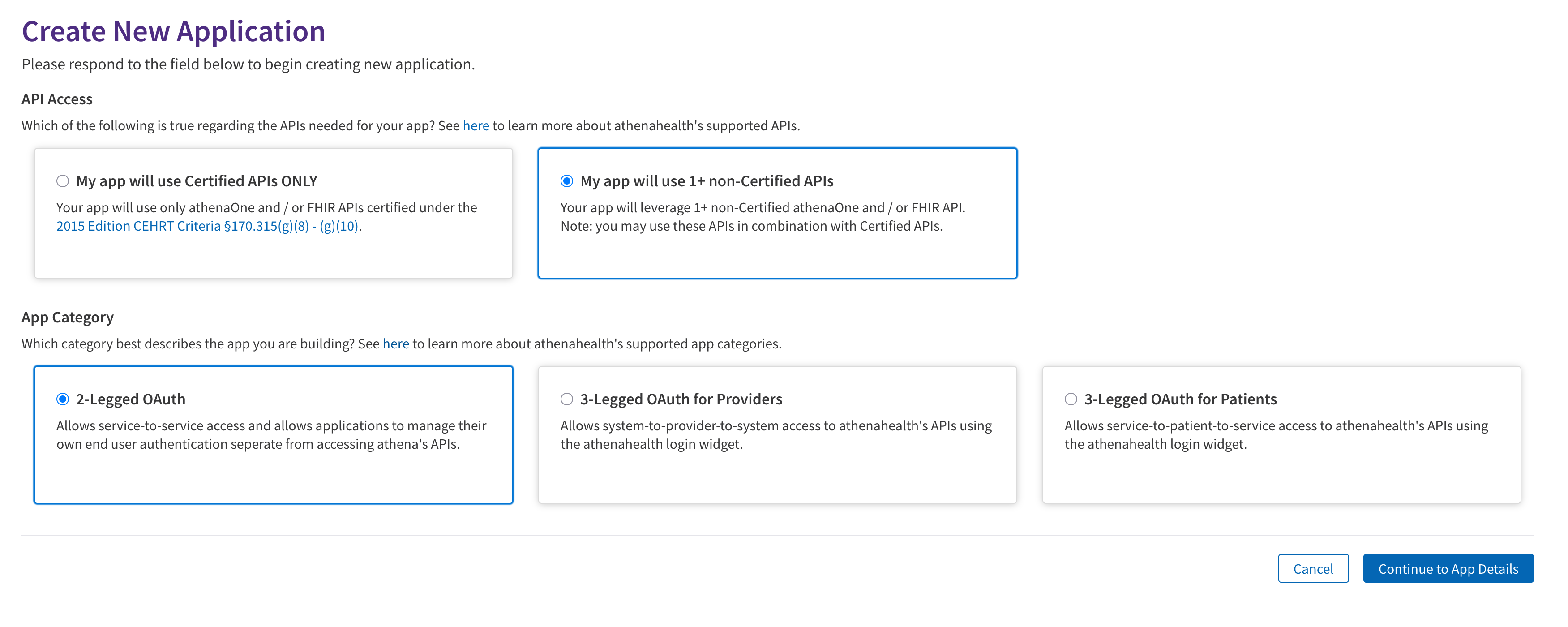
On the first page, set the API Access and App Category settings to match your use case. If you're not sure what to choose, use the defaults shown below.
-
On the next page, add the app name, a description, and your contact details.
-
In the Authentication Method section, select Secret. This gives you an API key you'll use to connect the app in Flows.
-
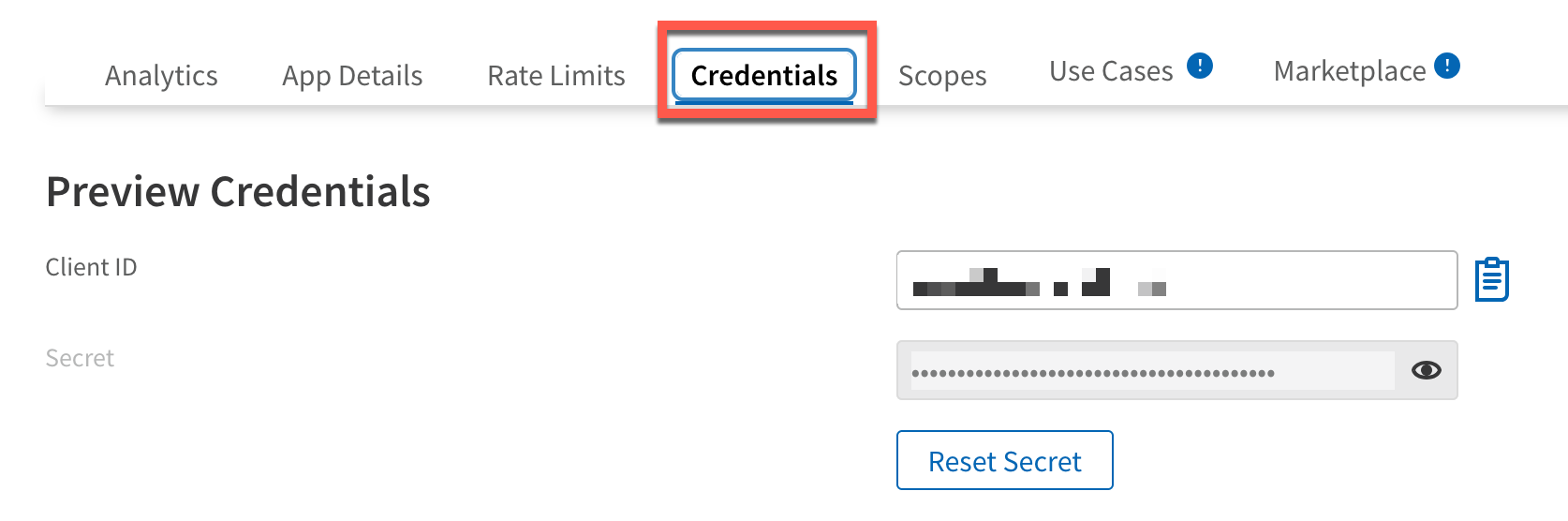
Once the app is created, go to the Credentials section in the app settings.
-
Copy the Client ID and Secret.
-
Paste the Client ID and Secret into the connection setup in Flows. Your Athenahealth connection is ready to use.
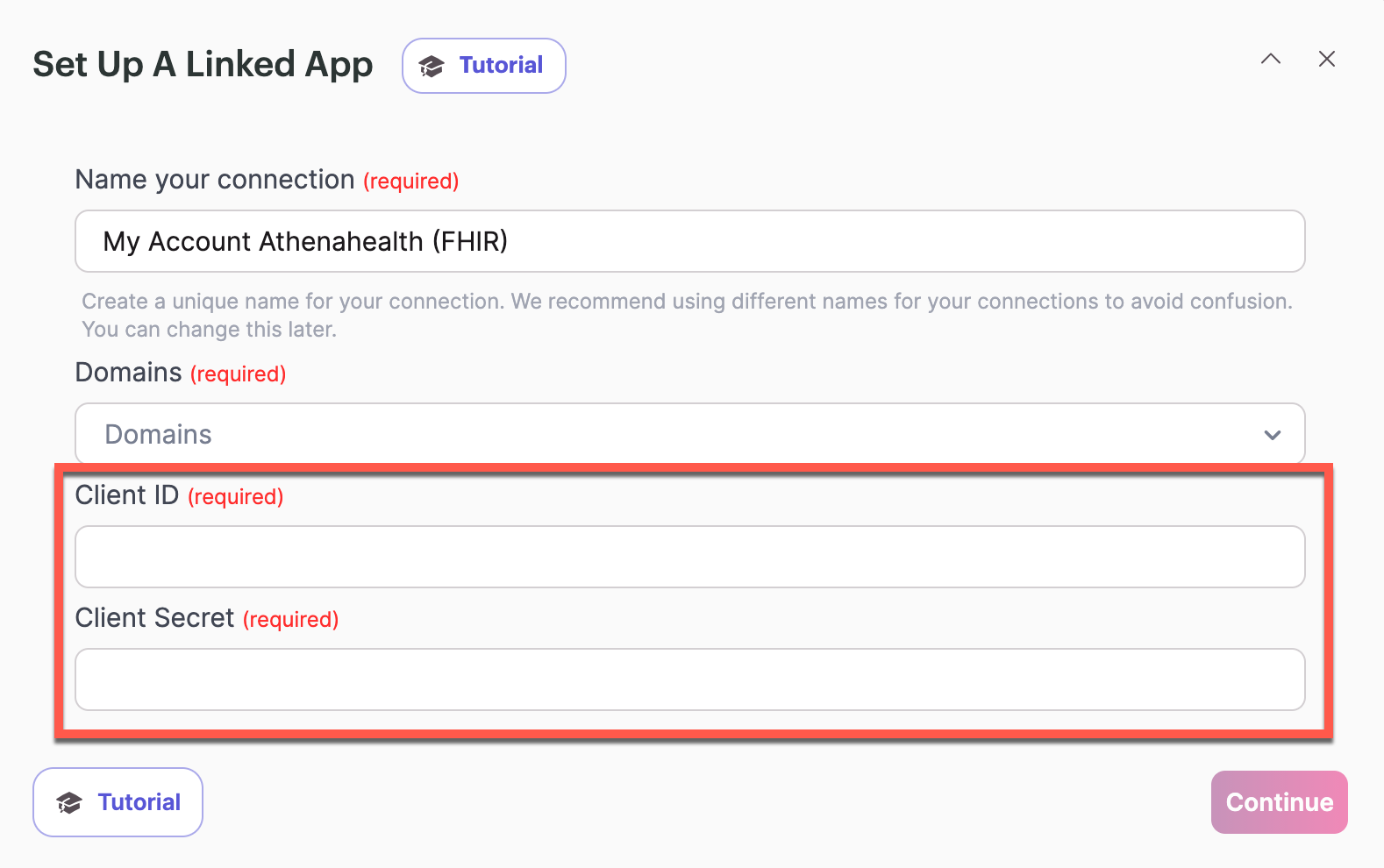
Need help with Athenahealth's side of the setup?If you need help setting your Athena application to public, setting up a custom application, or aren't sure which option to select, reach out to Athenahealth's support team.
Moving From Preview to Production
You build and test your integration in athenahealth's Preview environment first. If you use the athenaOne connection type, athenahealth then reviews your integration before it can run against your live data. You complete a Tech Spec, and then go through a review called solution validation. If you use the Certified API or FHIR connection types, you don't need a Tech Spec or solution validation, so you can skip to step 6. Knack doesn't complete or approve these steps for you. Your organization submits them to athenahealth.
-
Build and test in Preview. Create your app in the Athena developer portal as Preview, connect it in Flows, and build and test your Flows against the Preview environment.
-
Complete your Tech Spec (athenaOne only). Sign in to your account in the Athena developer portal, download athenahealth's Technical Specification (Tech Spec) form there, and complete it. Athenahealth uses the use cases in your Tech Spec to discuss the scope of your integration with its Integration Design team. An approved Tech Spec is required to move on to solution validation and production deployment.
-
Submit the Technical Request Form (athenaOne only). When your Tech Spec is complete, fill out athenahealth's Technical Request Form to connect with athenahealth for a solution validation. For more about the review process, timelines, and customer support, see athenahealth's customer support guide.
-
Wait for a reviewer (athenaOne only). Athenahealth assigns your request to a reviewer. Plans with self-service support are placed in a shared queue, and athenahealth has indicated assignment typically takes about one to two weeks, though busy periods such as the start of a quarter can take longer. If you don't hear back within that time, contact your athenahealth representative.
-
Complete the solution validation (athenaOne only). The reviewer schedules a call to go through your integration with you. If anything needs to be corrected, they'll let you know. Make the corrections and resubmit. Most integrations need few or no rounds of changes.
-
Move to Production. When you're ready to go live (for athenaOne, after athenahealth approves your integration), switch your app to Production in the Athena developer portal. If athenahealth issues new credentials for the Production app, copy the Client ID and Secret and update your connection in Flows.
Plan for the review in your timelineIf you use athenaOne, build the review time into your launch plan. The process is usually straightforward as long as your integration follows athenahealth's terms of service and HIPAA requirements.
What to have ready for your Tech Spec
Athenahealth's form asks for the following. Gathering it before you start makes the form quicker to complete:
- General information about your organization and application.
- Application security questions.
- A user workflow description. Write a step-by-step description of the workflow you want, including:
- A thorough description of each action in the workflow, not just a list of API calls.
- A note wherever the user switches between athenahealth's platform and your application.
- Who your "user" is in every case, for example a provider, administrator, or patient.
- How the workflow starts and ends.
- An integration overview graphic that shows how your solution integrates with athenahealth.
- Your use cases. Explain the solution by use case, where a use case is an action or series of actions in your application that causes information to be exchanged. For each one, list the specific API endpoints you plan to use, the sequence you'll call them in, and how often you'll call them (for example, pulling the next day's appointment schedule as a nightly job).
Athenahealth (athenaOne) Actions
The Athenahealth (athenaOne) connection type in Knack Flows has no triggers, only actions, for pulling appointment and patient data from Athenahealth's athenaOne API. You can view more information about athenaOne actions in Athena's API docs.
| Action | Summary |
|---|---|
| Find Appointments in Practice ID | Looks up appointments for a given practice ID. Use this when you need a list of appointments for a practice, for example to sync a practice's daily schedule into a Knack table. |
| Get Appointment Details By Appointment ID | Retrieves the full details for one specific appointment using its appointment ID. Use this when you already know which appointment you need information on. |
| Get Patient Details | Retrieves the full record for a specific patient using their patient ID. Use this when a Flow needs to pull a patient's information into Knack. |
| Search Patient | Searches for patients using criteria like name or date of birth. Use this when you don't have a patient ID yet and need to find the matching patient record first. |
Athenahealth (Certified API) Actions
The Athenahealth (Certified API) connection type in Knack Flows has no triggers, only actions, for looking up patient records through Athenahealth's Certified API. You can view more information about Certified API actions in Athena's API docs.
| Action | Summary |
|---|---|
| Find Patient | Searches for a patient using identifying details like name or date of birth. Use this when you need to locate a patient's record before pulling further details on them. |
| Get Patient Details | Retrieves the full record for a specific patient using their patient ID. Use this when you already know the patient ID and need their full set of information. |
Athenahealth (FHIR) Actions
The Athenahealth (FHIR) connection type in Knack Flows has no triggers, only actions, for retrieving appointment and procedure data through Athenahealth's FHIR API. You can view more information about FHIR actions in Athena's API docs.
| Action | Summary |
|---|---|
| Get Appointment By ID | Retrieves the details for one appointment using its FHIR appointment ID. Use this when you already have the appointment ID and need its full details. |
| Get a Specific Procedure by Patient ID | Retrieves the details of a single procedure associated with a given patient ID. Use this when you need information on one known procedure for a patient. |
| Get List of Procedures by Patient ID | Retrieves all procedures on record for a given patient ID. Use this when you need a patient's full procedure history rather than a single procedure. |
| Search Appointments | Searches for appointments using criteria such as patient, practitioner, or date range. Use this when you don't have a specific appointment ID and need to find matching appointments first. |
Common Mistakes or Troubleshooting
Match the connection type to your Athena accessEach Athenahealth connection type (athenaOne, Certified API, FHIR) maps to a different Athenahealth API. If an action isn't available after connecting, confirm your Athena developer account has access to the API that matches the connection type you set up in Flows.
Your integration works in Preview but not in ProductionIf you use athenaOne, production access requires an approved Tech Spec and a completed solution validation first. Confirm athenahealth approved your integration, that your app is set to Production in the Athena developer portal, and that the Client ID and Secret in your Flows connection belong to the Production app.
An action you need isn't listedThe actions listed above are the ones currently available in Flows. If you need an athenahealth endpoint that isn't listed, submit feedback to our product team and describe the endpoint and your use case.
Next Steps
- Flows for HIPAA / GovCloud customers: Understand the compliance boundaries when you connect third-party systems like athenahealth.
- List of All 600+ connectors within Flows: Browse other connectors available in Flows.
- Flows: Action Setup: Learn how to add and configure actions, including Athenahealth actions, in your Flow.
Want to see an action, trigger, or connection added?We're constantly looking to improve Flows. If you have feedback on the functionality, actions, triggers, or connections, you're welcome to submit feedback to our product team.
Updated 9 days ago