

eClinicalWorks
Connecting your eClinicalWorks system to Knack Flows allows you to securely send data from eClinicalWorks to your Knack apps.
What You'll Learn
This article explains how to connect eClinicalWorks to Knack Flows using your practice code, EHR domain, and OAuth authorize URL, and covers every eClinicalWorks action available once the connection is set up. eClinicalWorks is a widely used ambulatory EHR, so this connector is built for practices and health tech teams that need to pull patient and encounter data into their Knack apps.
About eClinicalWorks
eClinicalWorks is a cloud-based electronic health record (EHR) platform used by ambulatory medical practices for clinical documentation, scheduling, billing, and patient engagement. It exposes patient and encounter data through a FHIR R4 API, letting outside applications read practice data through standardized, certified endpoints instead of proprietary formats. Connecting eClinicalWorks to Knack Flows lets you pull this patient and encounter data into your Knack app without a staff member looking it up manually.
Setting Up the eClinicalWorks Connection
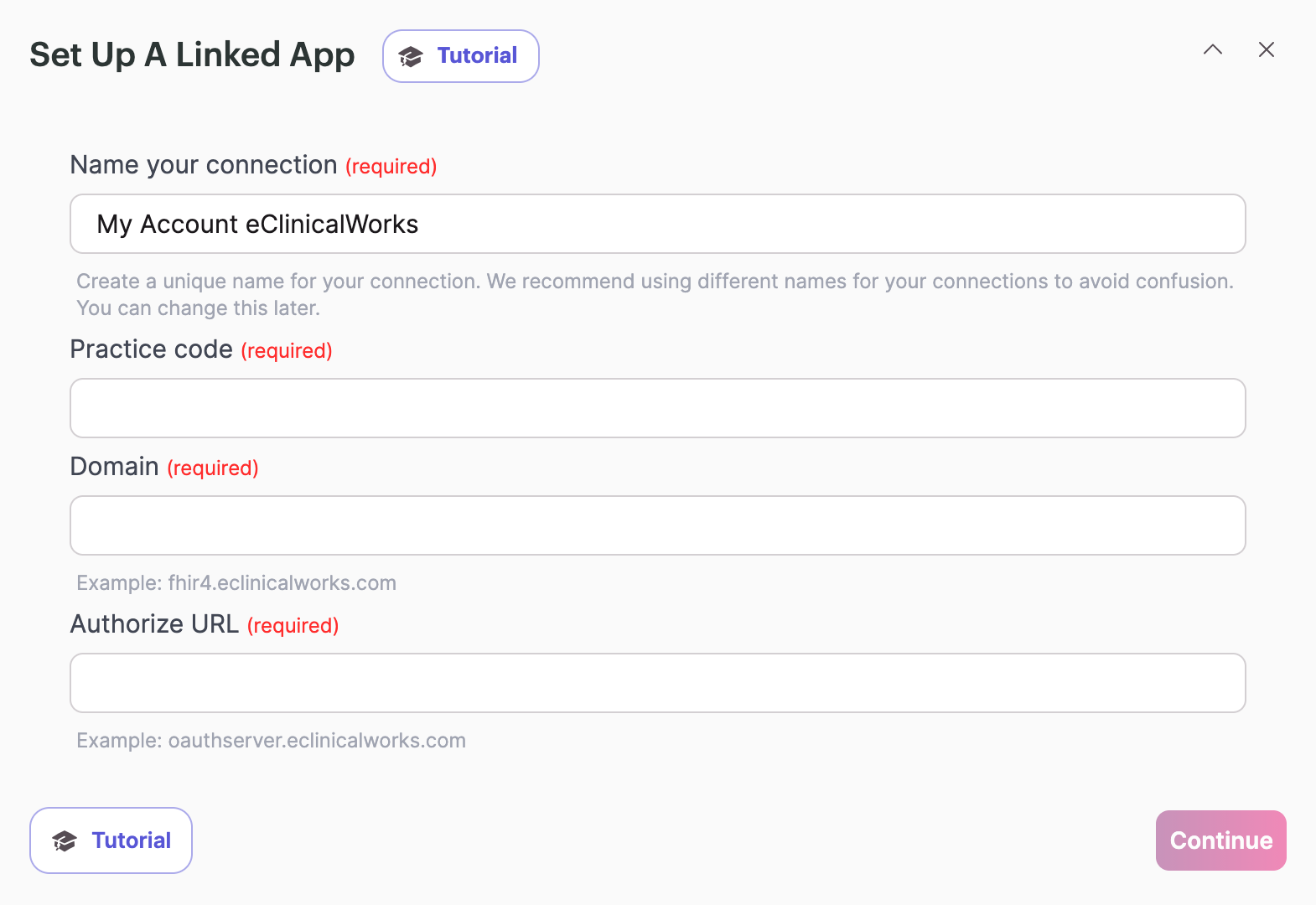
You need three pieces of information to connect eClinicalWorks to Knack Flows: your practice code, your EHR domain, and your authorize URL.
Practice Code
Your practice code identifies your specific eClinicalWorks practice. Your eClinicalWorks representative or the eClinicalWorks support team can provide this.
Domain
This is the domain your eClinicalWorks EHR environment currently runs on.
Authorize URL
This is the URL for the OAuth server that allows Flows to connect and authenticate with your eClinicalWorks system.
Need help finding these details?If you're not sure where to find your practice code, domain, or authorize URL, contact your eClinicalWorks representative or the eClinicalWorks support team directly.
eClinicalWorks Actions
eClinicalWorks has no triggers in Flows. eClinicalWorks does not publish a webhook or subscription API, so every eClinicalWorks integration in Flows works through actions that pull data on request rather than events that fire automatically. You can find full technical detail on each FHIR resource in eClinicalWorks' FHIR Documentation.
| Action | Summary |
|---|---|
| Find Patient | Searches for a patient using identifying details like name or date of birth. Use this when you don't have a patient ID yet and need to locate the matching patient record first. |
| Get Encounter by Patient ID | Retrieves a patient's encounters, such as office visits, using their patient ID. Use this when you need a patient's visit history and already know their patient ID. |
| Get Encounter Details by Encounter ID | Retrieves the full details for one specific encounter using its encounter ID. Use this when you already know which visit you need information on. |
What You Can Do with eClinicalWorks and Flows
A few examples of what you can automate by combining eClinicalWorks actions:
- Patient lookup before intake. Use Find Patient to confirm a patient already exists in eClinicalWorks before creating a new record in your Knack app.
- Visit history review. Use Get Encounter by Patient ID to pull a patient's full encounter history into Knack for staff to review without opening eClinicalWorks directly.
- Encounter detail lookup. Use Get Encounter Details by Encounter ID to pull the specifics of one known visit into a Knack record or report.
Next Steps
- List of All 600+ connectors within Flows to see other connectors available in Flows.
- eClinicalWorks' FHIR Documentation for full technical reference on every resource behind these actions.
Want to see an action, trigger, or connection added?We're constantly looking to improve Flows. If you have feedback on the functionality, actions, triggers, or connections, you're welcome to submit feedback to our product team.
Updated about 1 month ago