

Stedi
Connecting your Stedi system to Knack Flows allows you to securely send data from Stedi to your Knack apps.
What You'll Learn
This article explains how to connect Stedi to Knack Flows using an API key and webhook, and covers every Stedi trigger and action available once the connection is set up. Stedi is a healthcare clearinghouse, so this connector is built for providers, billing teams, and health tech companies that need to automate eligibility checks, claims, and remittances.
About Stedi
Stedi is an API-first healthcare clearinghouse. It lets you check patient insurance eligibility, submit medical and dental claims, track claim status, and retrieve electronic remittances (ERAs) from thousands of payers, all through developer-friendly APIs instead of legacy EDI systems. Connecting Stedi to Knack Flows lets you trigger these healthcare transactions automatically from your Knack app's data, without manually logging into a separate portal for every patient or claim.
Setting Up the Stedi Connection
You need an API key from your Stedi portal and a webhook added back in Stedi to complete the connection.
Generate Your Stedi API Key
- Go to your Stedi Portal.
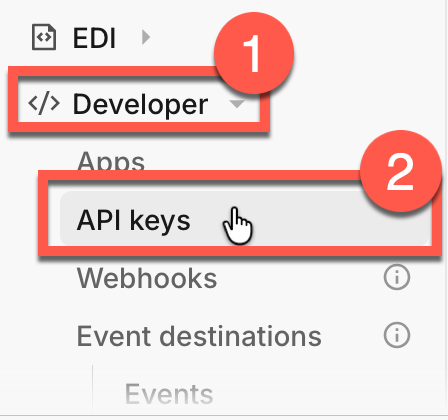
- Expand the Developer section and select API Keys.
- Select Generate new API Key.
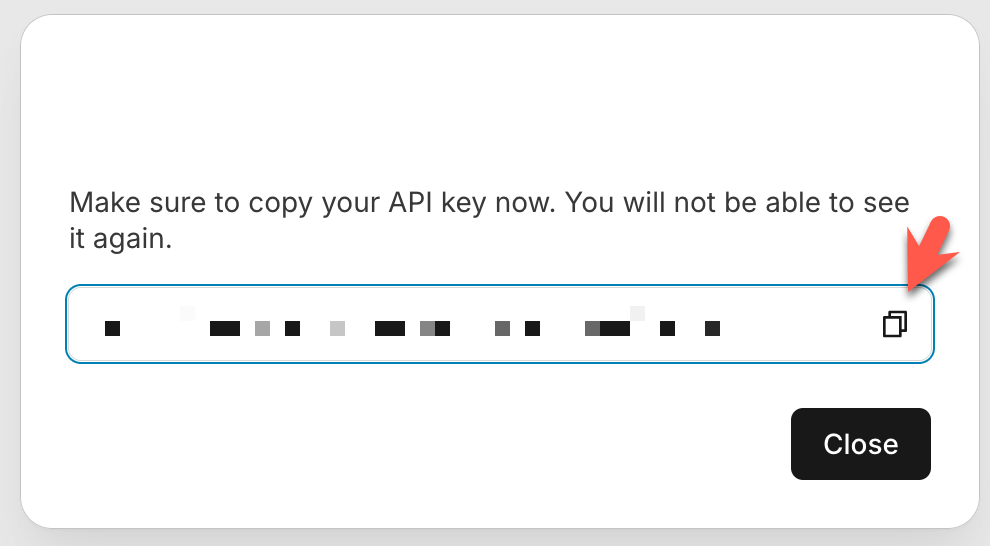
- Name the key, then save it somewhere safe. You'll paste this into the API Key field in Flows.
Add the Webhook in Stedi
After you enter your API key in Flows, Flows generates a webhook URL for you.
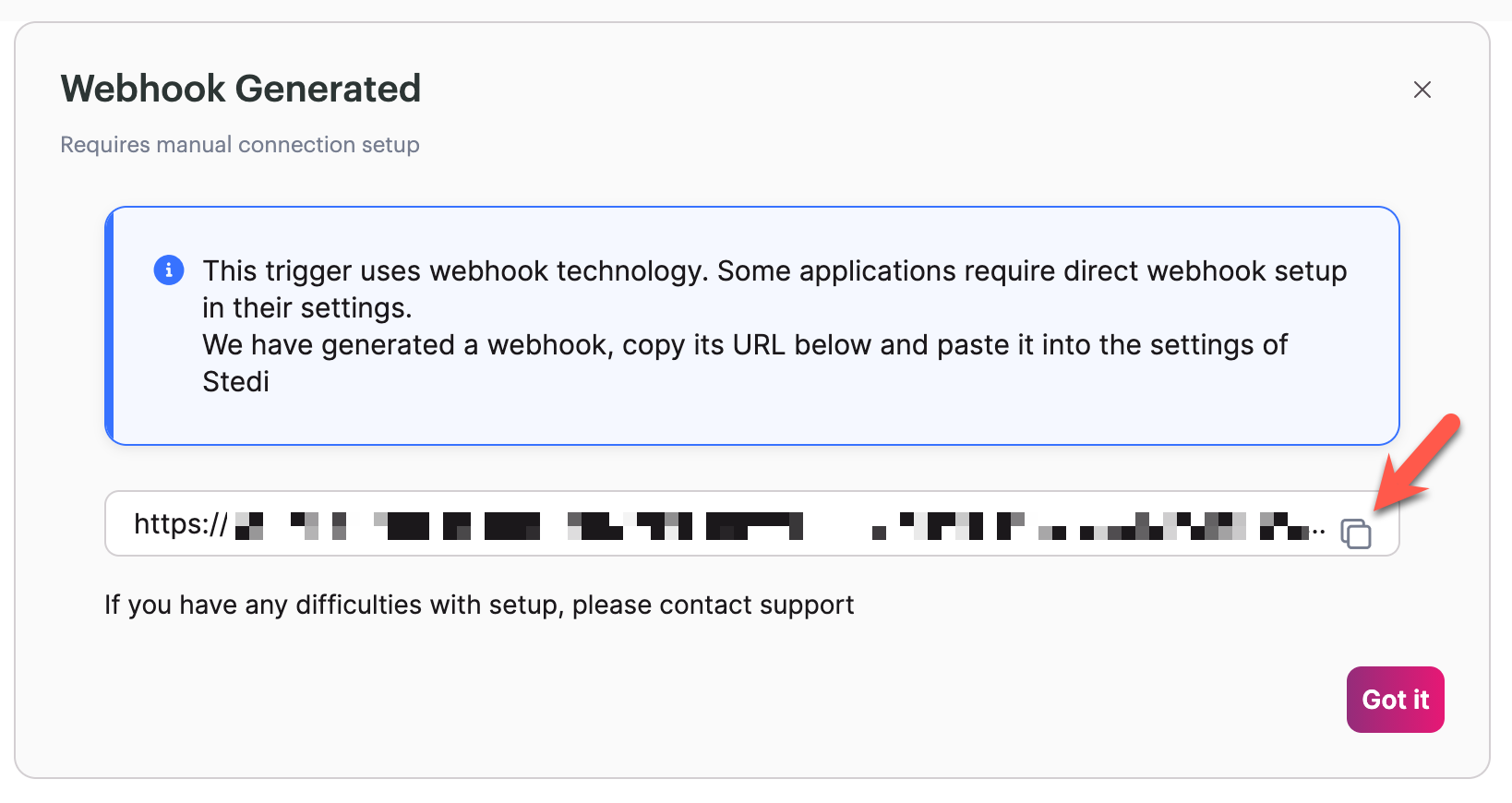
- Copy the webhook URL from Flows.
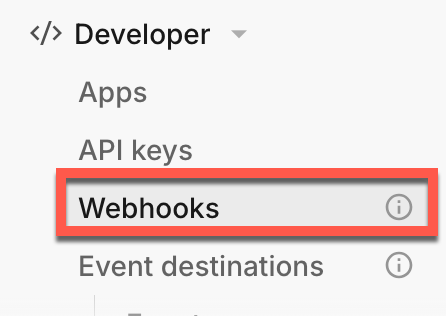
- Go to your Stedi dashboard and open the webhooks section.
- Paste the webhook URL into Stedi.
Webhooks require a paid Stedi planIf you don't add the Flows webhook URL to your Stedi dashboard, triggers won't fire in Flows. This step requires a paid Stedi plan.
Once the webhook is added, you're ready to build Flows using Stedi triggers and actions.
Need help with Stedi's side of the setup?If you run into issues setting up the Stedi connection or generating the webhook, contact Stedi's support team directly.
Stedi Triggers
Stedi has one trigger available in Flows.
| Trigger | Summary |
|---|---|
| New transaction processed | Fires when Stedi finishes processing a healthcare transaction, such as a claim submission or an ERA. Use this to start a Flow automatically instead of polling Stedi for updates, for example to notify your billing team or update a record in Knack the moment a remittance comes in. |
Stedi Actions
Stedi offers the following actions in Flows. You can find full technical detail on each in Stedi's API Docs.
| Action | Summary |
|---|---|
| 835 ERA Report | Retrieves a processed 835 Electronic Remittance Advice (ERA) from Stedi. Use this to pull in payment and adjustment details from a payer automatically, instead of logging into a payer portal to check whether a claim was paid. |
| Custom API Request | Sends a custom request directly to any Stedi healthcare endpoint. Use this when you need an action that isn't covered by the other built-in actions, or when you need more control over the request payload. |
| Insurance Discovery | Searches for a patient's active insurance coverage using demographic details like name, date of birth, and address, without needing their insurance card. Use this when a patient can't provide their insurance information, such as during a walk-in or urgent care visit. |
| Insurance Discovery Check | Starts an insurance discovery check and returns a discovery ID so you can retrieve results once Stedi finishes searching. Use this in a Flow that needs to kick off a coverage search and follow up on the result separately. |
| MBI Lookup | Looks up a patient's Medicare Beneficiary Identifier (MBI). Use this when you need a patient's current MBI for Medicare billing and don't have it on file. |
| Real-Time Claim Status (276/277) | Checks the current processing status of a claim you've already submitted. Use this when you haven't received a 277CA acknowledgment or 835 ERA within the expected timeframe and want to confirm where the claim stands with the payer. |
| Real-Time Eligibility Check | Verifies a patient's active insurance coverage and benefits before a visit or service. Use this to confirm coverage, copays, and plan details automatically ahead of an appointment instead of checking manually. |
| Search Payer | Looks up a payer in Stedi's payer network. Use this when you need to find the correct payer ID before submitting an eligibility check, claim, or claim status request. |
| Submit/Create Enrollment | Registers a provider to exchange a specific transaction type, such as real-time claim status or eligibility checks, with a payer. Use this when a payer requires enrollment before you can send that transaction type through Stedi. |
| Submit Institutional Claim (837I) | Submits an institutional claim, such as a hospital or facility claim, to a payer. Use this to automate claim submission directly from your Knack data instead of entering claims manually in a separate system. |
| Submit Professional Claim (837P) | Submits a professional claim, such as a physician or individual provider claim, to a payer. Use this to automate claim submission for provider services directly from a Flow. |
What You Can Do with Stedi and Flows
A few examples of what you can automate by combining Stedi's trigger and actions:
- Automatic eligibility checks before appointments. Trigger a Real-Time Eligibility Check action when a new appointment record is created in Knack, so staff see coverage and copay details before the patient arrives.
- Coverage recovery for incomplete patient records. When an eligibility check fails because the patient's insurance details are missing or wrong, run an Insurance Discovery action to find their active coverage using just their name and date of birth.
- Automated remittance tracking. Use the New transaction processed trigger to fire a Flow whenever Stedi finishes processing an ERA, then use the 835 ERA Report action to pull in payment details and update the matching claim record in Knack.
- Claim status follow-up. Build a scheduled Flow that runs the Real-Time Claim Status (276/277) action on claims that haven't received a response within your expected timeframe.
Next Steps
- List of All 600+ connectors within Flows to see other connectors available in Flows.
- Stedi's API Docs for full technical reference on every endpoint behind these actions.
Want to see an action, trigger, or connection added?We're constantly looking to improve Flows. If you have feedback on the functionality, actions, triggers, or connections, you're welcome to submit feedback to our product team.
Updated about 1 month ago