

API Call Add-Ons from the Knack Dashboard
Increase your daily API call limit directly from your Knack Dashboard when your app's usage grows beyond your plan's included allowance.
What you'll learn:
- How to purchase additional API calls for your account
- Current add-on pricing tiers
- Where to check your current daily API call limit and usage
- Rate limit constraints that add-ons don't change
Purchasing Additional API Calls
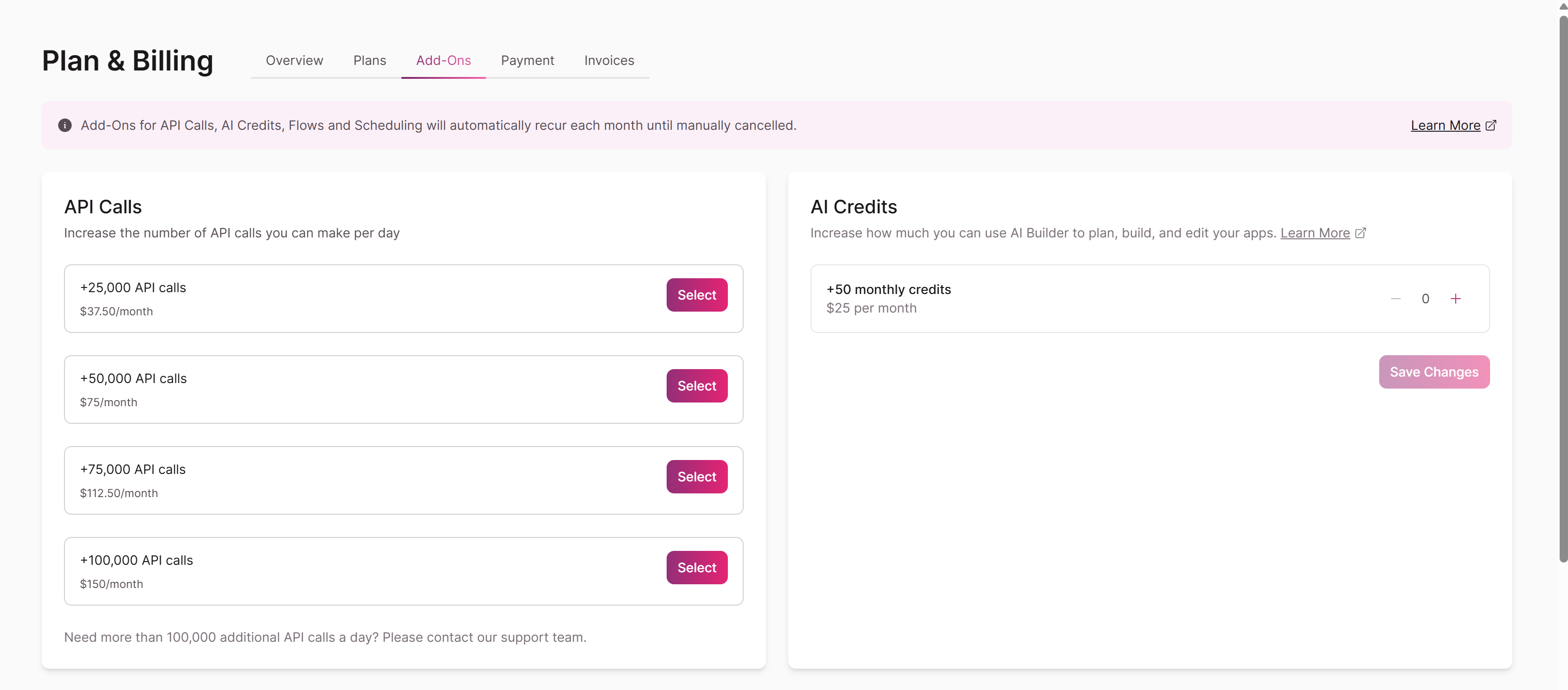
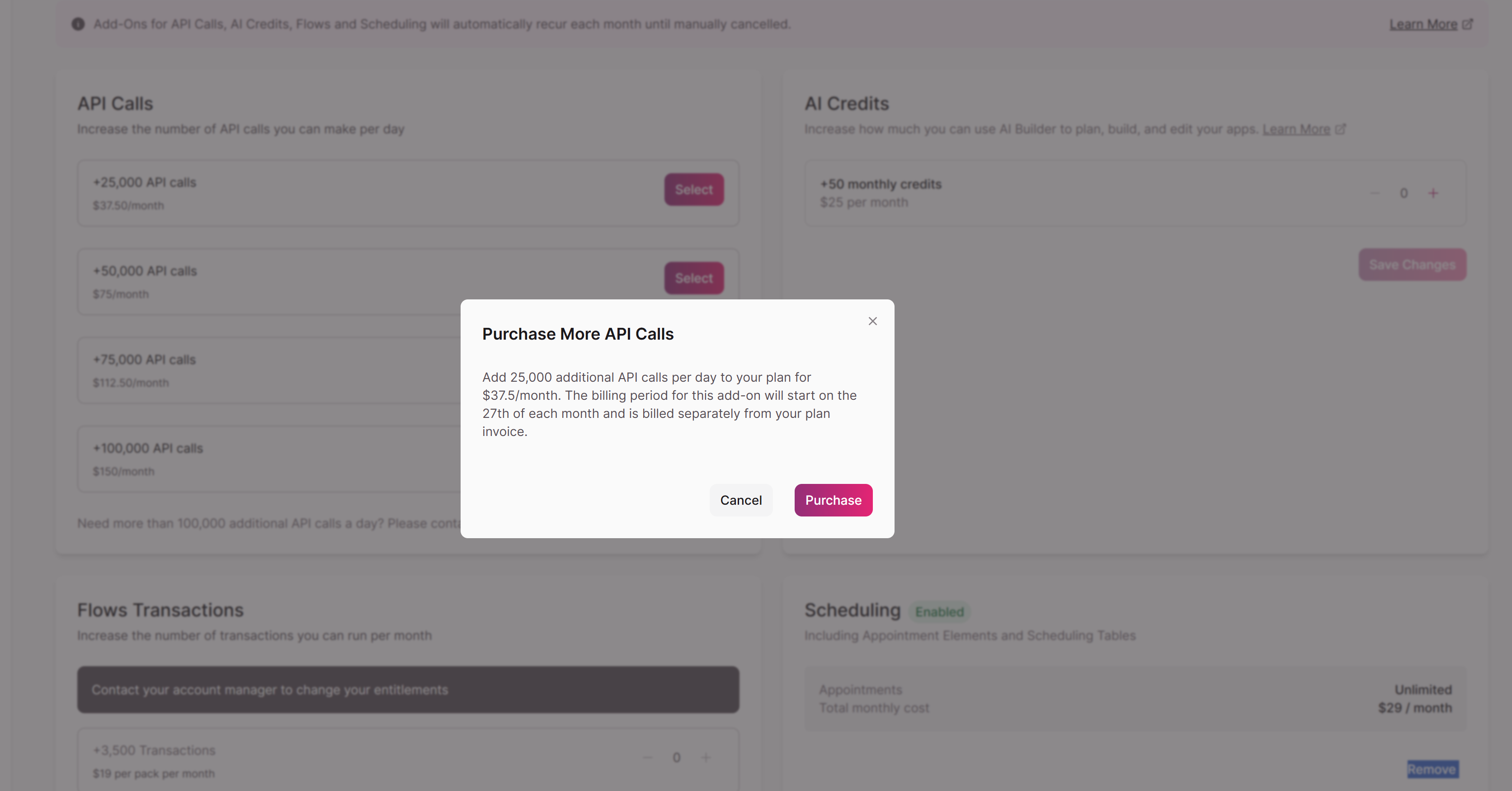
From your Knack Dashboard, go to Plan & Billing → Add-Ons. Under API Calls, select the package that matches how many additional daily calls you need, then confirm your purchase.
API Call Add-On Pricing
| Add-On | Price |
|---|---|
| +25,000 API calls | $37.50/month |
| +50,000 API calls | $75/month |
| +75,000 API calls | $112.50/month |
| +100,000 API calls | $150/month |
Tip: Need more than 100,000 additional API calls per day? Contact our support team for assistance.
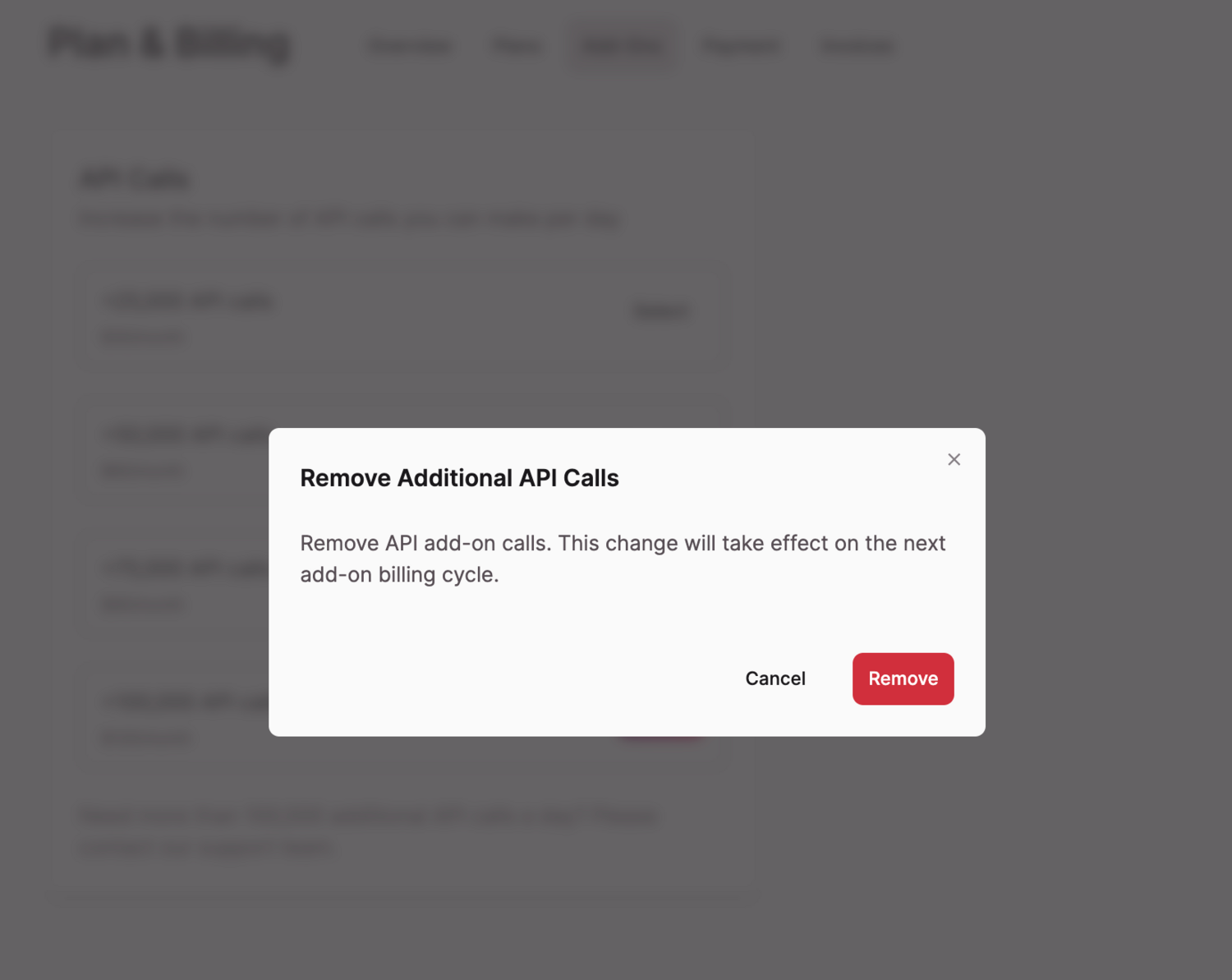
You can also remove your current API plan package by selecting the "Remove" button. If you choose to remove the current API calls add-on, a modal pop-up will appear to confirm the removal:
Checking Your Current API Call Limit
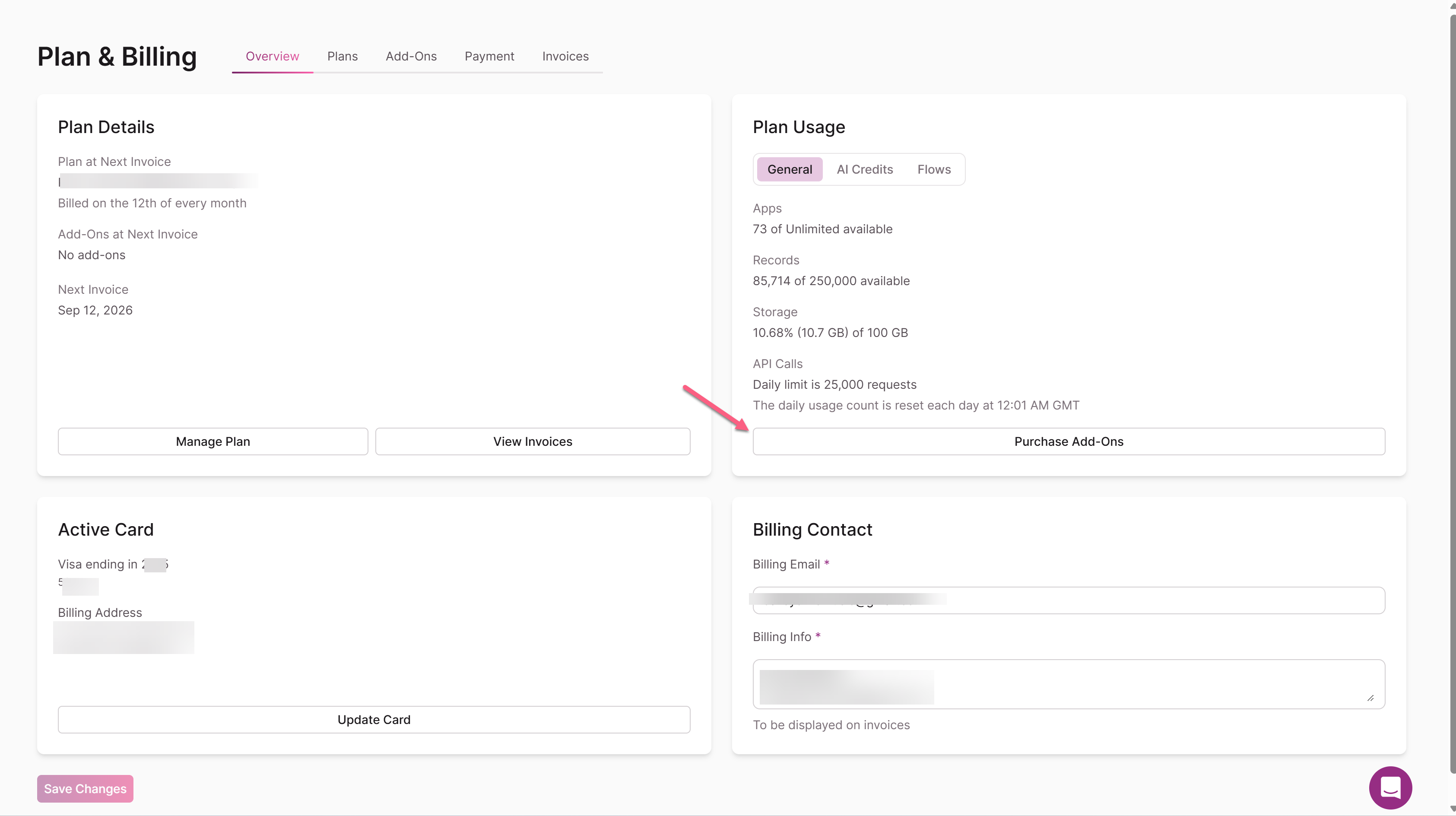
Your total daily API call limit — your plan's base allowance plus any add-on — is shown under Plan & Billing → Overview, in the Plan Usage section. If you've purchased an add-on, it's also reflected in the Add-Ons tab.
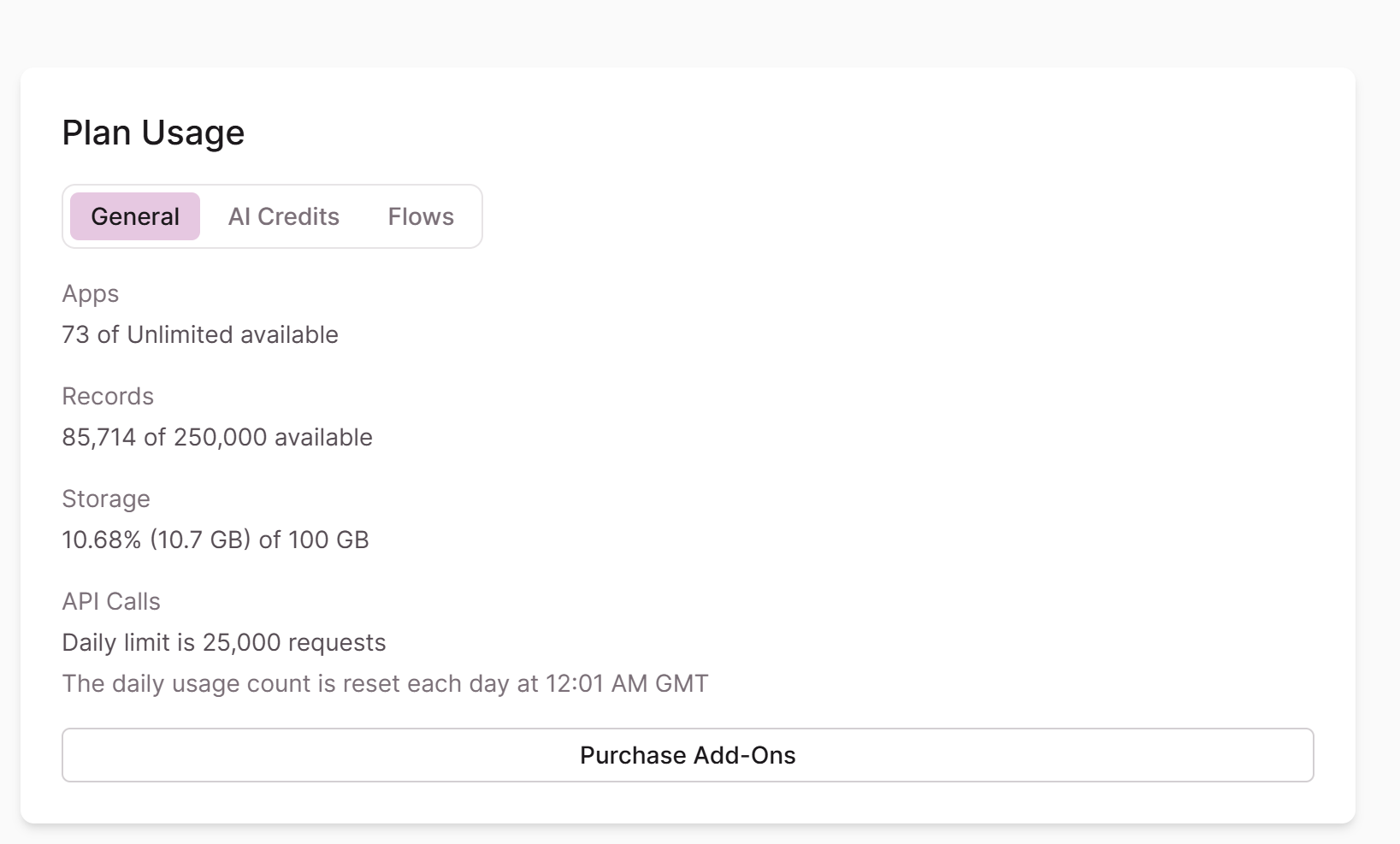
Tip: The daily limit adds the plan total plus the add-on amount.
Additional Notes
- The per-second API call limit cannot be increased. Knack enforces a rate limit of 10 API calls per second regardless of your daily add-ons; calls beyond that limit return an error.
- If you need more than 100,000 additional calls added to your plan, contact the support team for assistance.
- Only the account owner can purchase API call add-ons. If you're not the account owner, contact the support team for help.
Updated 29 days ago