

Test As: Quickly Preview & Test Your App as Any User
Use Knack's Test As feature to preview your live app as any user or role directly from the Builder, without needing passwords or logging in as that user.
Overview
Knack's Test As feature lets you preview and interact with your live app as any specific user, role, or public visitor directly from the Builder. You don't need the user's password, and you don't need to log out and back in. Select a user, and the Builder instantly shows you exactly what they see in the live app.
This removes one of the biggest friction points when building and testing role-based apps. You can troubleshoot user-reported issues, validate permissions, and confirm page access in seconds.
How to Use Test As
Test As is available in two locations within the Builder.
From the AI Builder Tab
If you have access to the AI Builder, the Test As selector appears in the upper-right area of the Live App Preview pane. Select a user or choose Public (Not Logged In) to preview the app from that perspective.
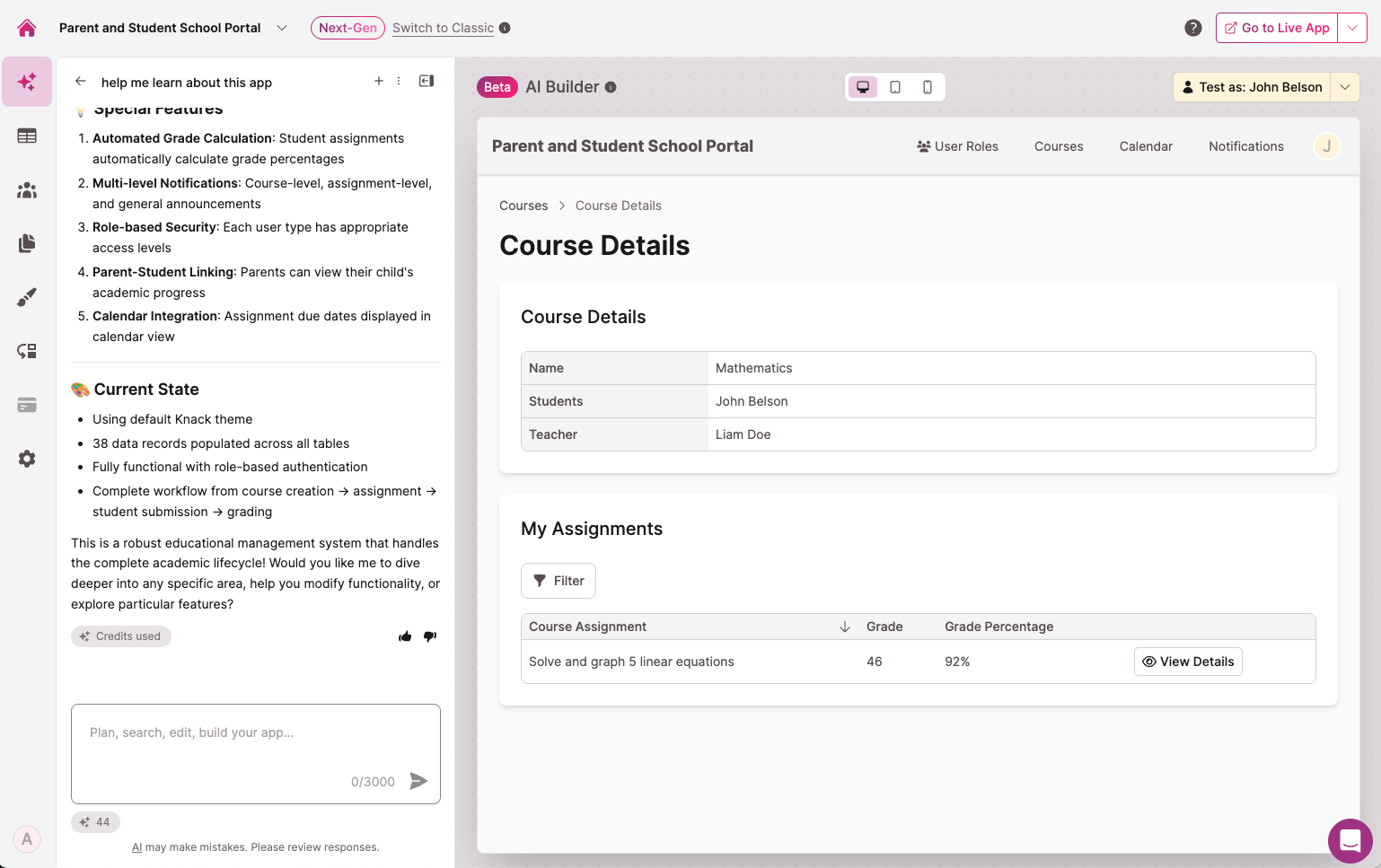
Testing as 'John Belson', who is in the 'Student' role for this app
From the Builder
The Test As selector is located in the top-right area of the Builder screen. Select a user or Public (Not Logged In), and the Live App Preview takes over your Builder area with a yellow banner indicating you're in Test As mode.
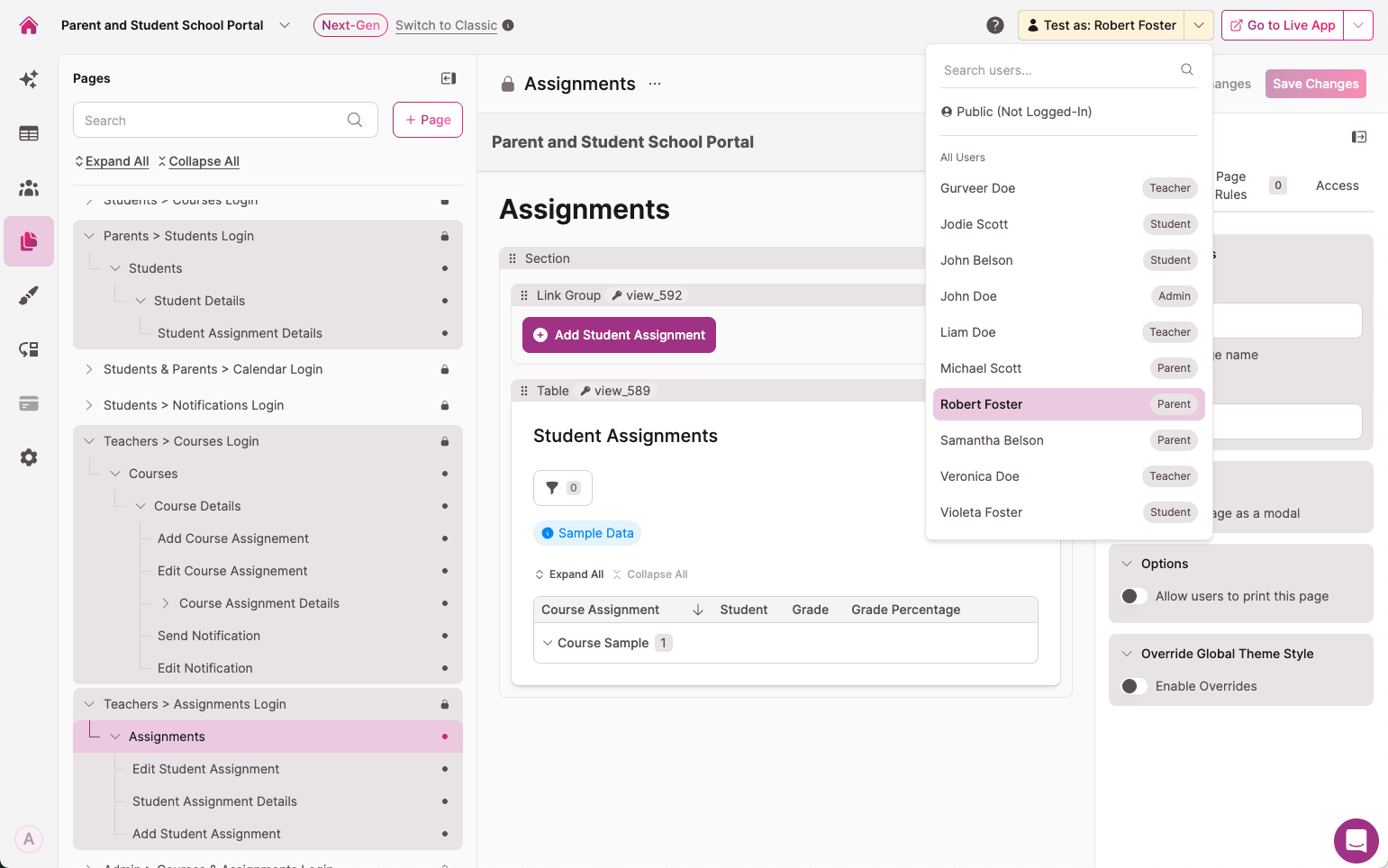
Toggling to 'Robert Foster' who is in the 'Parent' role for this app
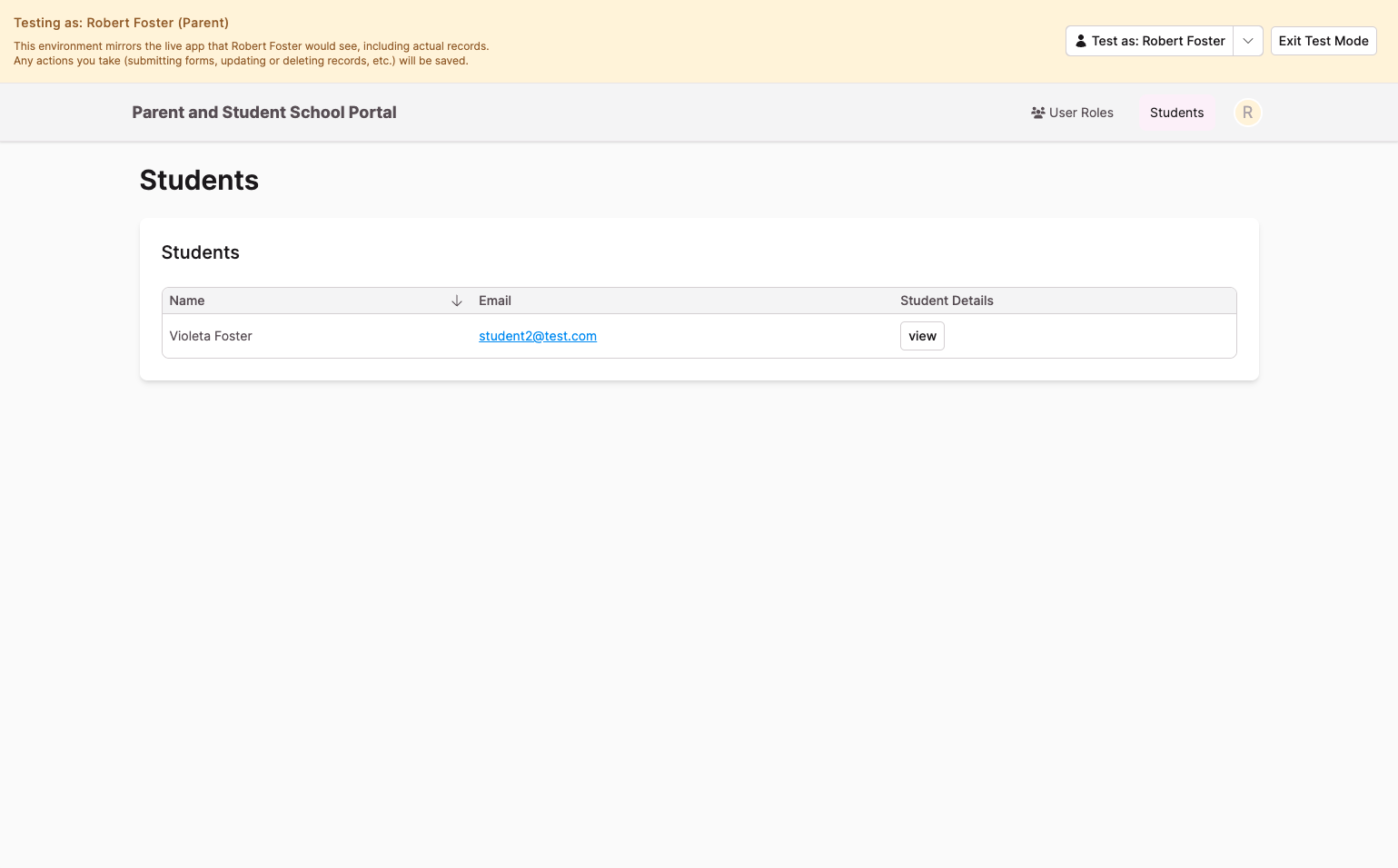
The Live App Preview area, logged in as 'Robert Foster' in the 'Parent' role
Testing as a Public (Not Logged In) Visitor
The Public (Not Logged In) option shows your app from the perspective of a visitor who hasn't signed in. This lets you test public pages and forms without creating a user record.
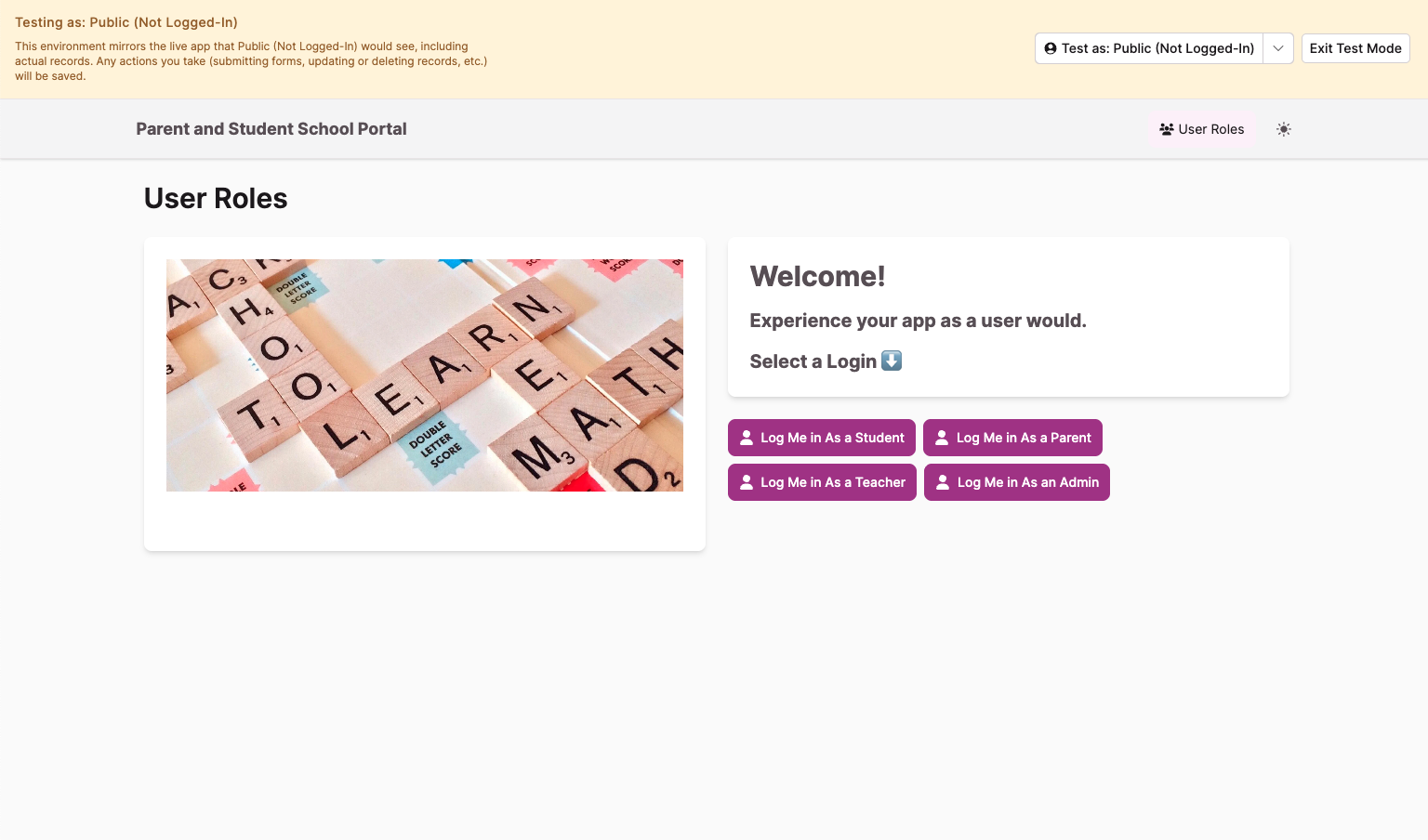
Use this to confirm which parts of your app are accessible without login and to verify that protected areas are properly hidden. If something is visible while testing as Public (Not Logged In), anyone can access it without signing in.
Switching Between Users and Roles
When you switch between Test As users — for example, from a user in a "Student" role to a user in a "Teacher" role — the Live App Preview updates immediately. The preview navigates to the first top-level page that user has access to, and the page menu refreshes to show only the pages available to that role.
This makes it easy to compare what each role sees without logging out or reloading the app.
Record History and Activity Tracking
Actions you perform while using Test As are logged in Record History using the format "[Builder's email] (testing as [user's email])". This makes it clear that the action was performed by a builder during a Test As session, not by the user themselves.
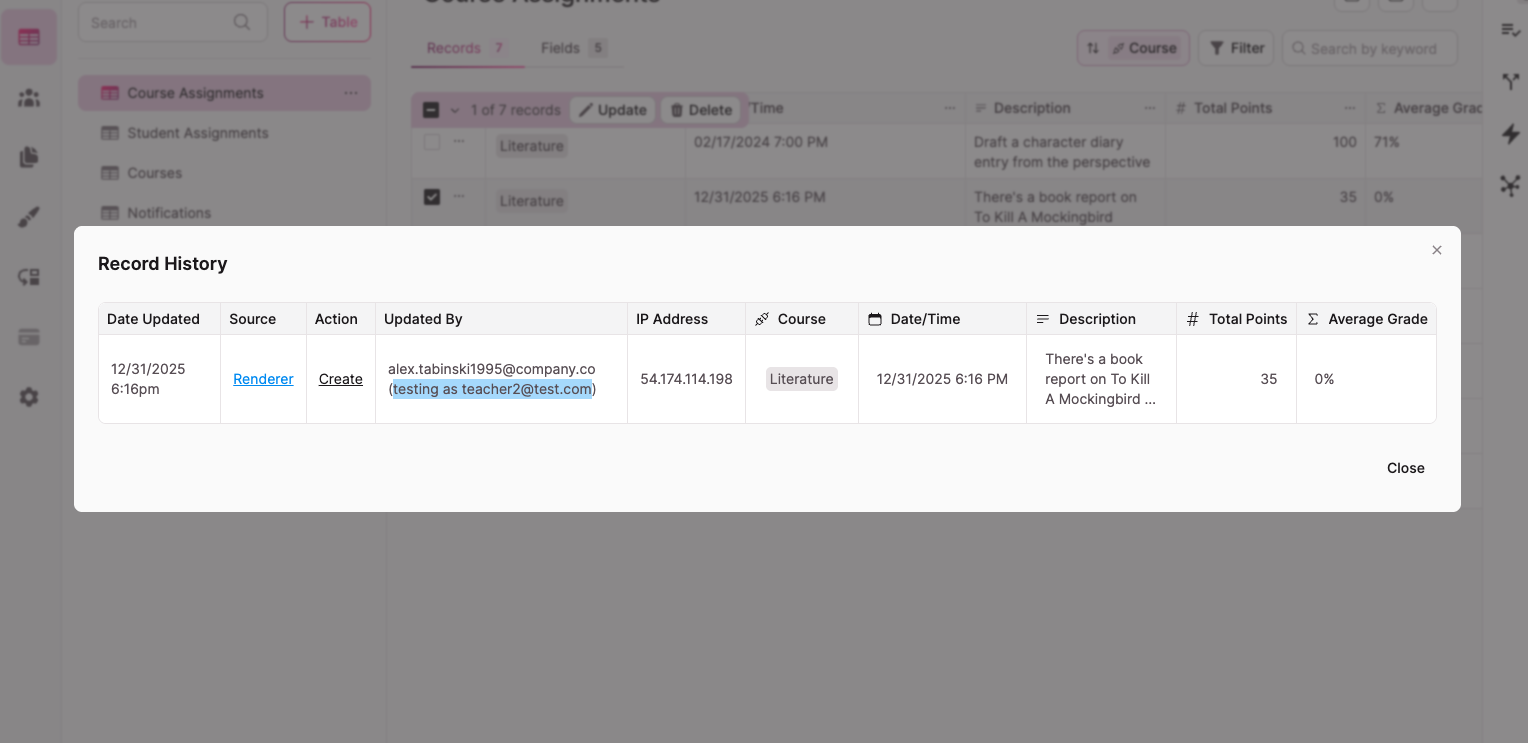
Alex T was the app builder, testing as Gurveer Doe at '[email protected]'
Test As vs. the Live App
Test As only works inside the Builder. Clicking Go to Live App opens the actual live app URL without carrying over the Test As user's credentials. Your builder session stays active, and the real user is never affected.
Availability
Test As is available to all Knack customers on the Next-Gen experience only.
Let us know what you think! We'd be happy to hear your feedback at product.knack.com.
Updated 6 months ago