

Setting Up Navigation Layout
The Navigation tab is your control center for the main menu that helps users move through your app
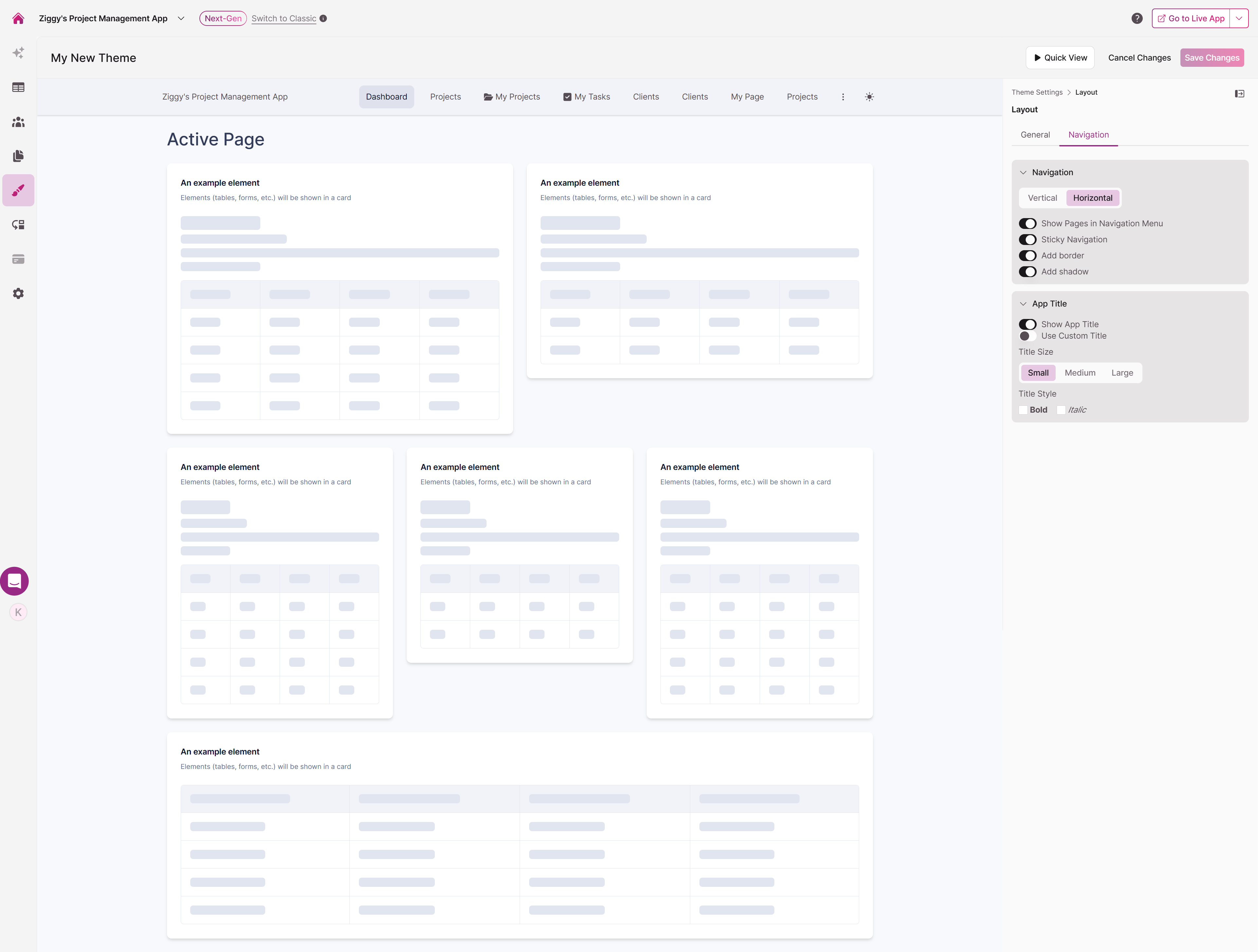
Choosing Navigation Orientation
Select the navigation layout that best fits your app's design:
- Vertical: A traditional sidebar menu positioned along the left side of your pages
- Horizontal: A contemporary navigation bar that spans the top of your app
Fine-Tuning Navigation Display
Customize how your navigation behaves and appears with these toggles:
- Show Pages in Navigation Menu: Controls whether page links appear in the menu
- Sticky Navigation: Keeps the navigation menu fixed at the top of the screen as users scroll—they'll never lose access to your menu
- Add border: Defines the navigation edge with a border
- Add shadow: Adds depth with a subtle shadow effect
Customizing Your App Title
Make your app's branding prominent with these title options:
- Show App Title: Toggle title visibility on or off
- Use Custom Title: Replace the default app name with custom text
- Size: Select Small, Medium, or Large to control how prominent your title appears
- Style: Apply Bold or Italic formatting for emphasis
Note: Your app title helps orient users and reinforces your brand every time they interact with your app.
Updated 9 months ago
Did this page help you?