

Custom Domains for Your Next-Gen Live App
Set up professional, branded URLs for your Next-Gen apps with full domain control and flexibility.
What You'll Learn
This article covers how to set up a custom domain for your Next-Gen Knack Live App, including how to request a domain, configure your DNS CNAME record, and troubleshoot common issues.
Custom Domains are available on Pro plans and above. See plans and pricing for domain limits per plan. Qualified plans include the option to purchase additional domains as add-ons.
Choosing a Subdomain
Custom domains in Knack must use a subdomain in all cases. Root domains like mydomain.com aren't supported because DNS systems don't allow CNAME records on root domains.
Valid subdomain examples:
portal.mycompany.comdashboard.clientname.orginventory.manufacturing.netcrm.salesteam.com
You can assign a unique subdomain to each app, including multiple apps under the same root domain.
Requesting a Custom Domain
- Open your Builder and go to Settings → Custom Domain
- Depending on your plan:
-
If you're not eligible, you'll see a "View Plan and Upgrade" button
-
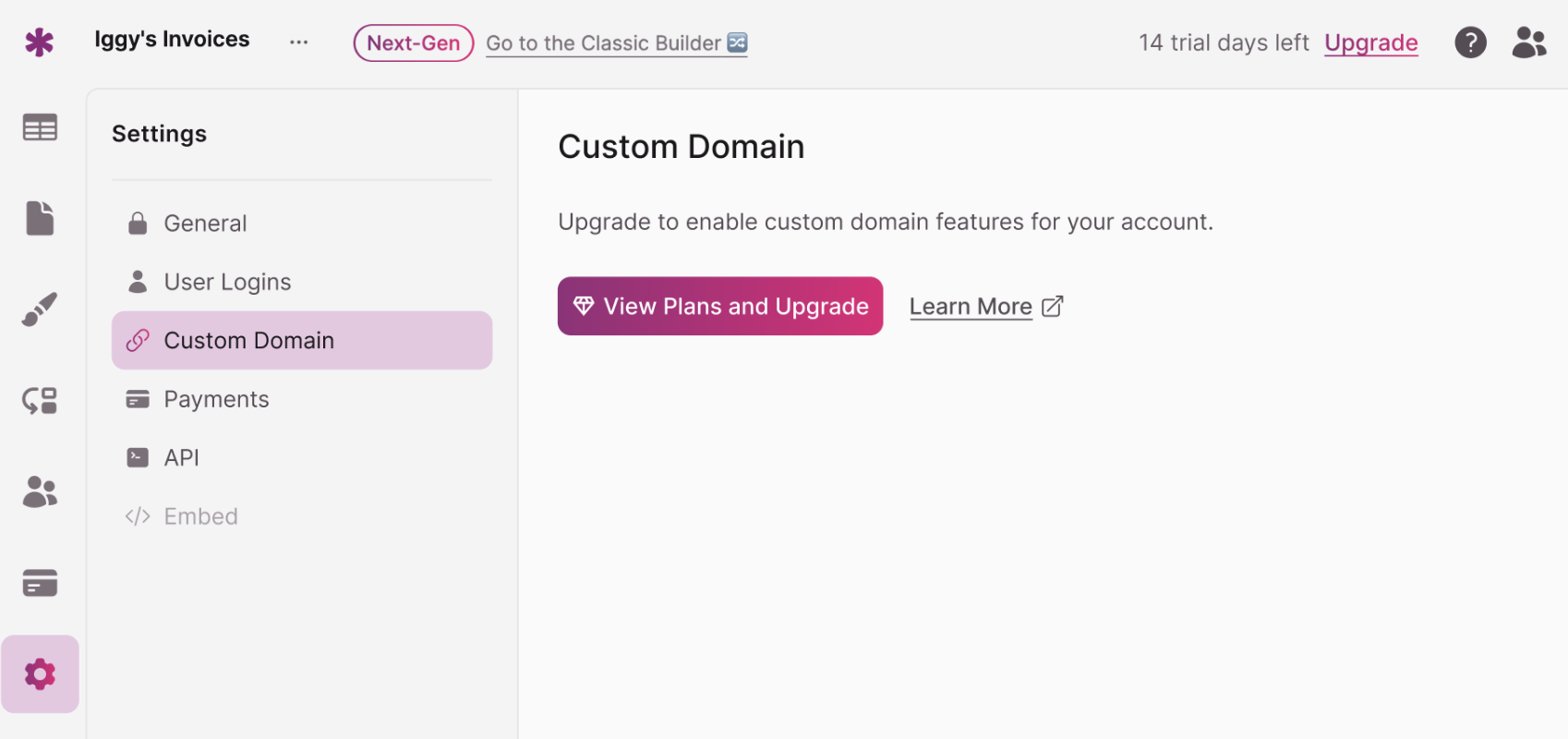
If eligible, you'll see a "Request Custom Domain" button
-
- Clicking the button opens a request form:
Submit Custom Domain Request
The Knack Support team will contact you to assist with setup and let you know once it's complete.
Configuring Your DNS CNAME Record
Once your domain request is approved, log in to your domain provider and create a CNAME record pointing to Knack.
Proxy configurations are not supported. Your CNAME must point directly to
v4customdomains.knack.com. Pointing your domain to a proxy service that then forwards traffic to Knack is not a supported configuration and will prevent your custom domain from working correctly.
| Setting | Value |
|---|---|
| Host | portal (or your prefix) |
| Type | CNAME |
| Points to | v4customdomains.knack.com |
| TTL | Default (e.g. 14400 sec) |
DNS propagation may take up to 24–48 hours to complete.
How Your Custom Domain URL Will Look
Unlike Classic apps, Next-Gen apps don't require your app slug at the end of the URL. Your users can access the app directly at the subdomain root.
For example, instead of the Classic format: https://portal.acmecompany.com/client-portal
Your Next-Gen app is accessible at: https://clients.acmecompany.com
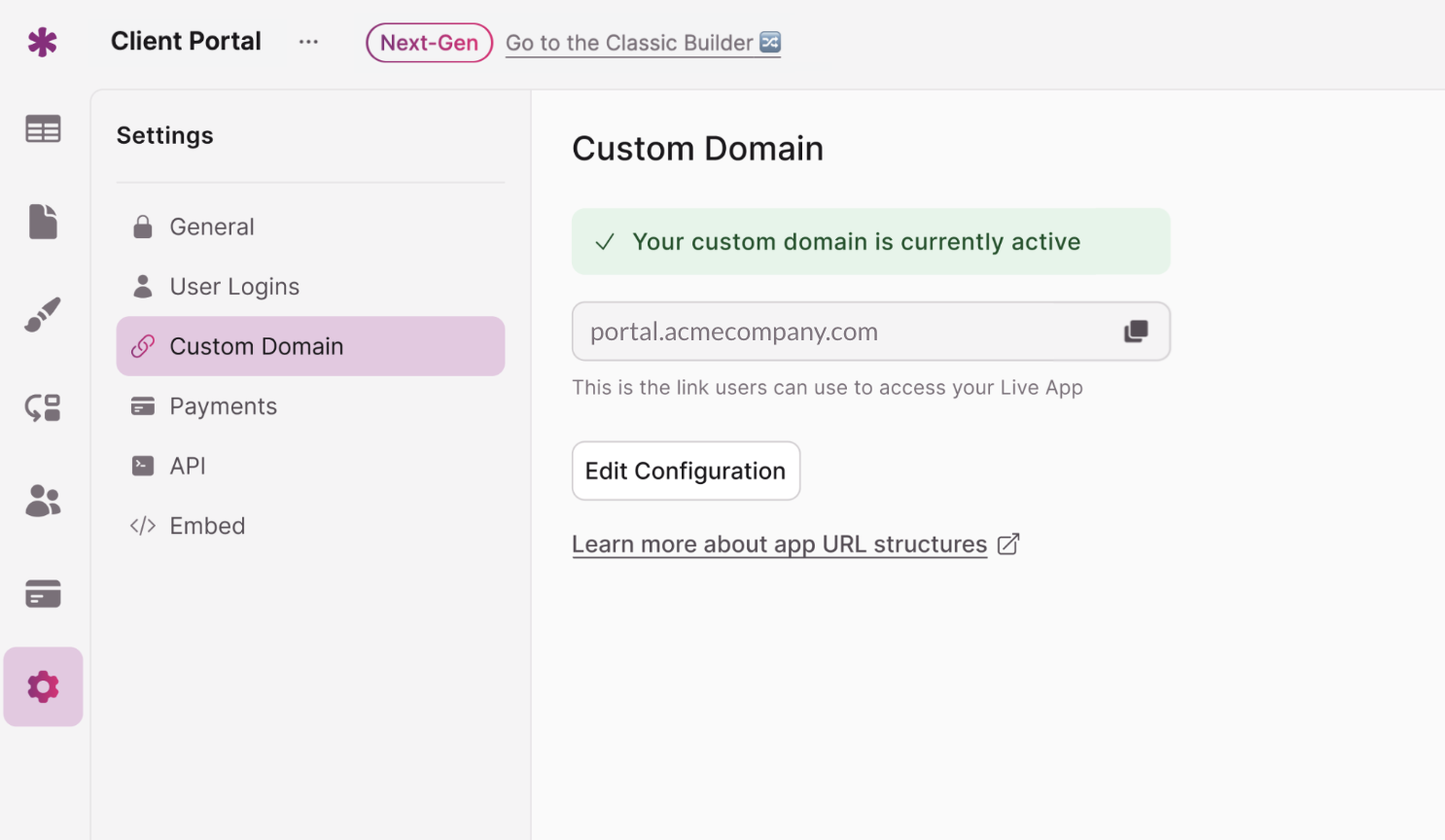
Note: The default Knack app URL will still remain accessible as well.
Using Custom Domains Across Multiple Apps
Next-Gen supports multiple apps under the same root domain using different subdomains. Each subdomain maps to a completely separate Next-Gen Live App.
app1.mycompany.comapp2.mycompany.comportal.mycompany.comdashboard.mycompany.com
Classic and Next-Gen Apps Require Separate Subdomains
If you're running both versions of the same app, each version requires its own subdomain. Classic and Next-Gen apps cannot share the same subdomain.
| App Version | Domain |
|---|---|
| Classic App | legacy-portal.mycompany.com |
| Next-Gen App | portal.mycompany.com |
Fixing a Blank Page on Custom Domain Load
If your app loads a blank page when someone visits your custom domain directly, the likely cause is a drop-down menu in the first position of your navigation tree.
A drop-down menu doesn't link to a specific page — it only reveals additional links. Without a standalone page at the top level, the app has no default destination to load.
Fix: Add a top-level page (not a menu) as the first item in your navigation tree.
Troubleshooting
- Propagation taking longer than 48 hours: Check your DNS TTL settings and confirm the CNAME record was saved correctly.
- Custom domain not resolving: Confirm your CNAME points directly to Knack with no proxy in between (see warning above).
- Blank page on load: Check your navigation tree — a drop-down in the first position won't load a default page. Add a standalone top-level page.
- Temporarily down: Use the default Knack URL as a backup while troubleshooting.
Next Steps
- Generate Code to Embed Your Knack App — An alternative to custom domains if you already have a website to embed your app into.
- Sharing Your Live App — Other ways to share your app URL with users.
- App Settings Overview — Explore other app-level settings available in the Builder.
Updated 5 months ago