

Why Two-Factor Authentication (2FA) Matters
Two-factor authentication (2FA) is one of the most effective ways to protect your Knack account and your live app users from unauthorized access. It requires a second form of verification beyond a password, making it significantly harder for attackers to gain entry — even if a password is compromised.
What is Two-Factor Authentication?
Two-factor authentication combines two different types of credentials:
- Something you know — your password
- Something you have — a mobile device running an authenticator app
When 2FA is enabled, logging in requires both your password and a time-sensitive 6-digit code generated by an authenticator app like Google Authenticator, Authy, or Microsoft Authenticator. These codes refresh every 30 seconds, so they can't be reused or intercepted in a meaningful way.
Why Passwords Alone Aren't Enough
Passwords are vulnerable to a range of common attacks:
- Credential stuffing — Attackers use username/password combinations leaked from other breaches. If a user reuses passwords across services, one breach can expose them everywhere.
- Phishing — Fake login pages trick users into entering their credentials. The attacker captures the password in real time.
- Brute force — Automated tools cycle through password combinations until they find a match, especially effective against weak or short passwords.
- Social engineering — Attackers manipulate people into revealing login information through impersonation or deception.
2FA neutralizes most of these threats. Even with the correct password, an attacker can't complete the login without access to the user's physical authentication device.
Where 2FA Is Available in Knack
Knack offers two-factor authentication in two contexts:
Builder 2FA protects your Knack account and Builder access. Account owners can enable it from the Security section of the Knack Dashboard. This secures the development environment where your app structure, data, and settings live.
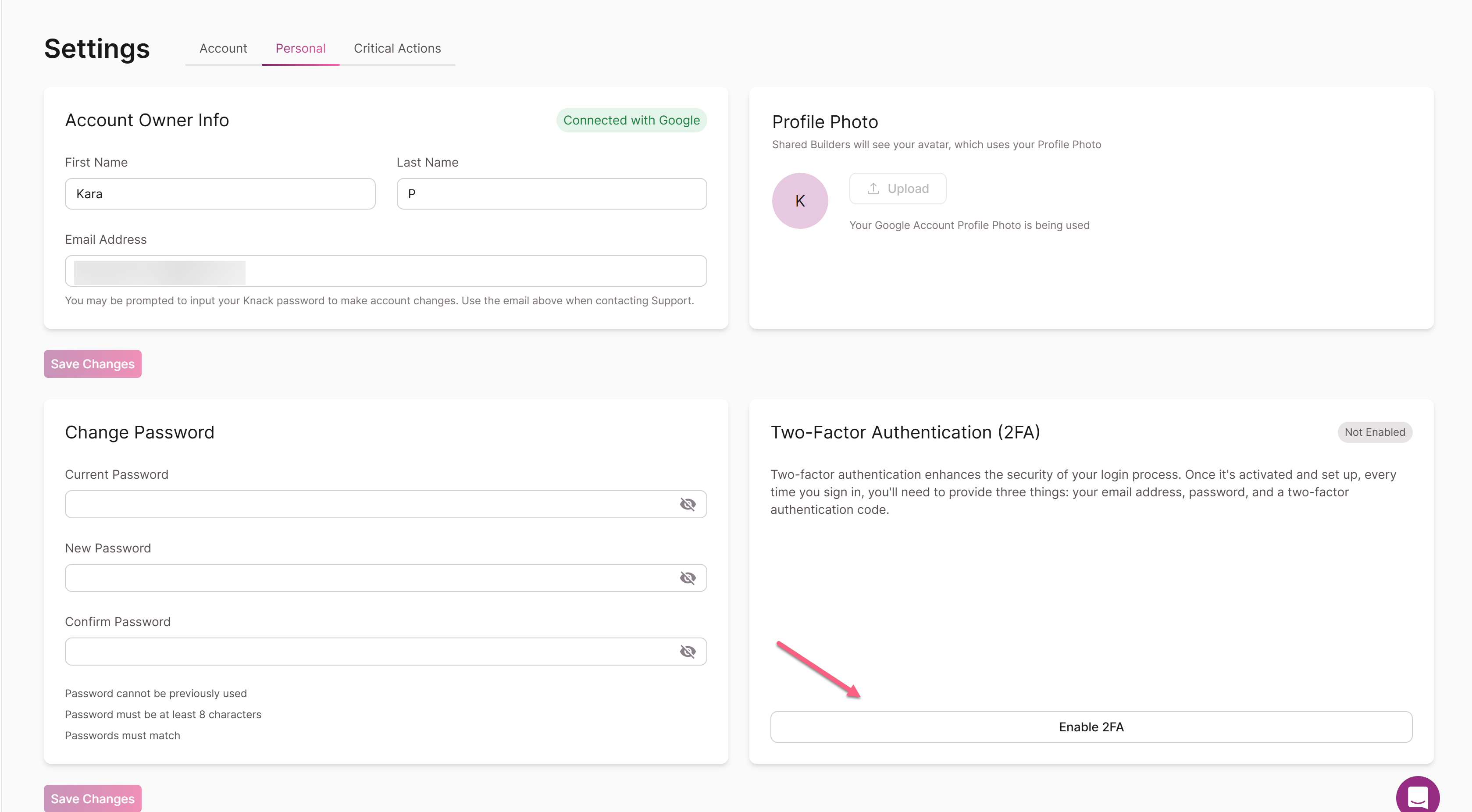
For setup instructions, see Builder Two-Factor Authentication.
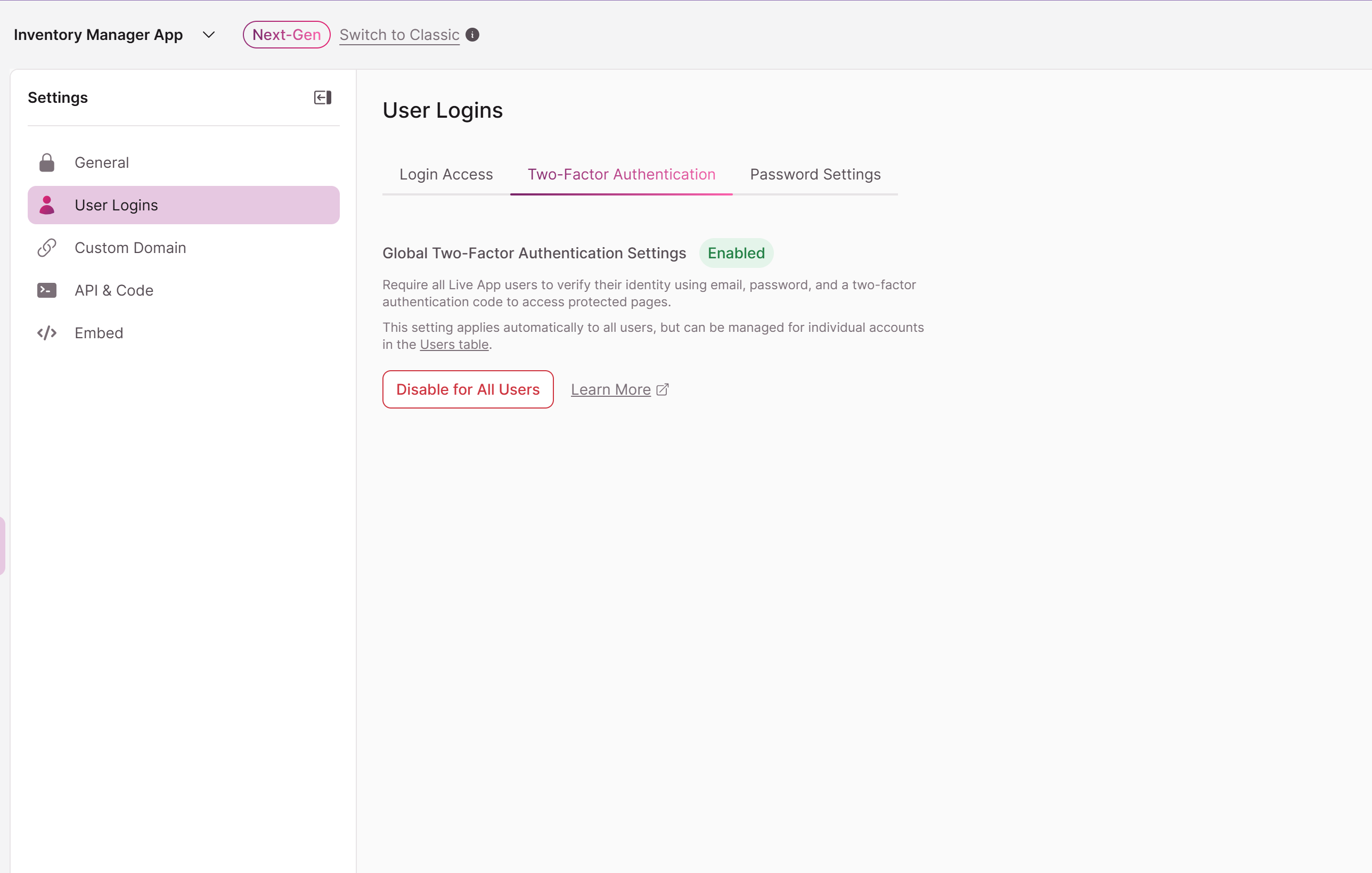
Live App 2FA protects end users of your application. When enabled, any user logging into a protected page in your live app must verify their identity with an authenticator app. Builders can enable or disable 2FA on a per-user basis.
For setup instructions, see Two-Factor Authentication (2FA): Setup, Management & Live App Experience.
When You Should Enable 2FA
2FA is especially important when your app handles:
- Sensitive personal data — Health records, financial information, employee data, or anything subject to compliance requirements like HIPAA
- Business-critical operations — Inventory management, order processing, billing, or workflows where unauthorized changes could cause real damage
- Multi-user environments — Apps with multiple user roles where different people have different levels of access to data and functionality
- Customer-facing portals — Any app where external users log in to view or manage their own records
Even if your app doesn't fall into these categories, enabling 2FA is a low-effort, high-impact security improvement.
How 2FA Fits Into a Broader Security Strategy
Two-factor authentication works best as part of a layered approach to security:
- Strong password policies — Encourage users to create unique, complex passwords
- Role-based access control — Restrict what each user role can see and do within your app
- Page-level permissions — Control which pages and data are accessible to which roles
- SSO integration — For organizations with existing identity providers, Single Sign-On adds centralized authentication management
- Regular access audits — Periodically review who has access and remove users who no longer need it
2FA adds a strong second line of defense on top of all of these measures.
2FA is included on Pro plans and above. Check your current plan in the Account Plans & Billing section of your Dashboard.
Updated 29 days ago