

Your Payment Tables: Customer Transactions and Saved Customer Payments
Understand the two tables Knack creates for you when you connect Stripe, and what you can and can't change in them.
What you'll learn:
- What the Customer Transactions and Saved Customer Payments tables are for
- Why some fields are locked and what you're free to change
- How the connection field between your records and payments works
Two tables, created for you
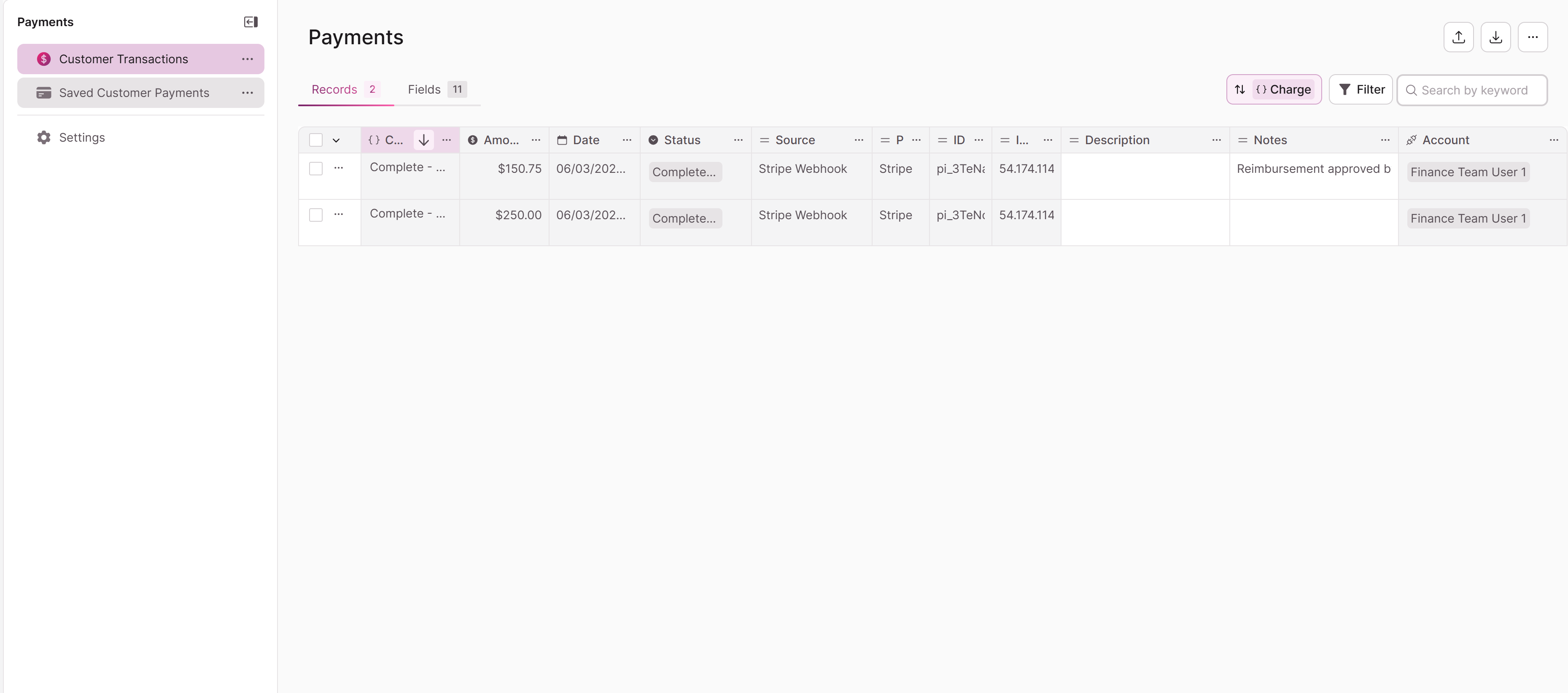
When you connect Stripe or PayPal, Knack automatically creates a table:
- Customer Transactions — Stores a record for each payment, including its status (for example, Complete or Failed).
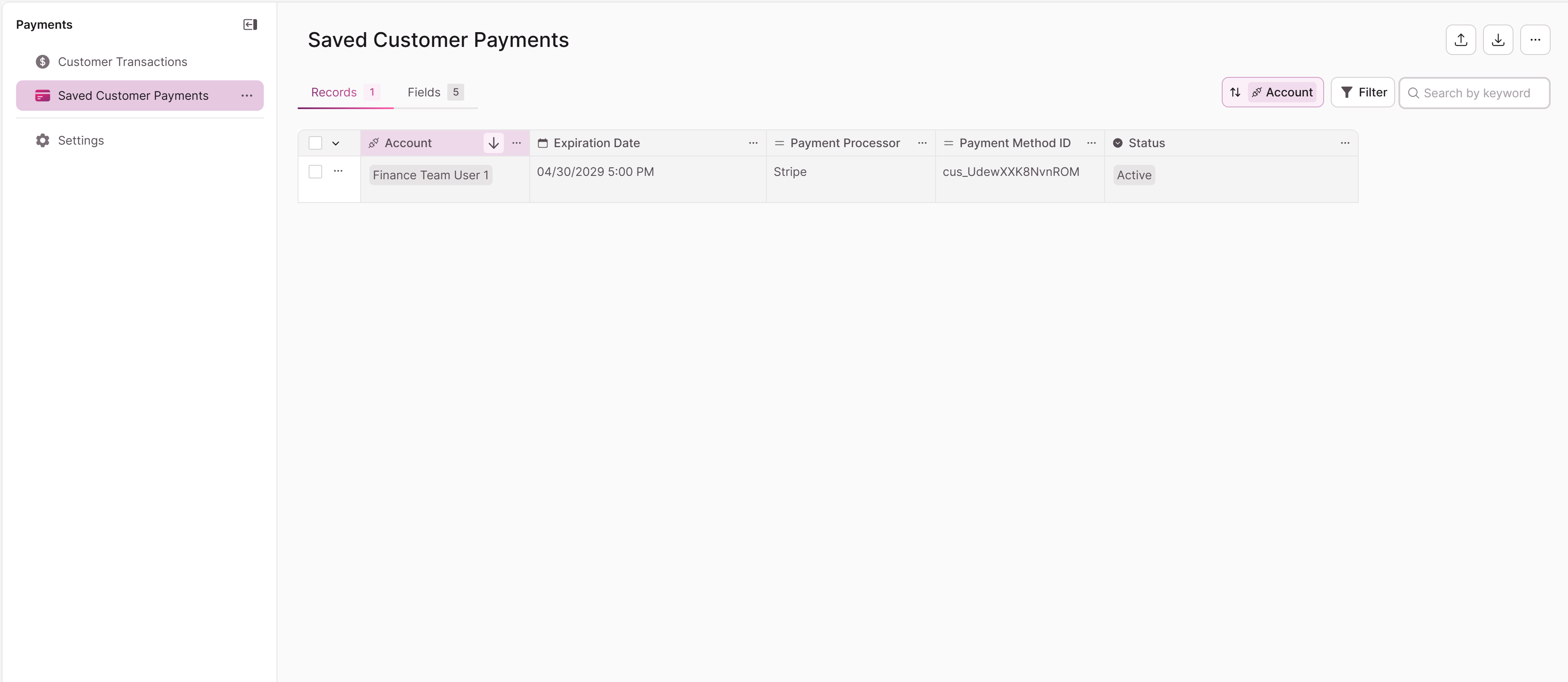
When a customer saves their card information, Knack automatically creates a table:
- Saved Customer Payments — Stores the cards your users have saved for future checkout.
These tables are system-generated and form the foundation that every other payment feature builds on. You don't create them manually, and your app should only ever have one of each.
What's locked, and what you can change
To keep your payment data reliable, Knack controls the core of these tables:
- Default fields are locked. The system-managed fields that track payment data can't be edited or deleted.
- Records are system-created. You can't manually add records to these tables. Records are created automatically as payments and saved methods are processed in your live app.
You still have room to build on top of them:
- You can add your own fields to extend either table for your reporting or workflow needs.
- You can view the data to see transactions and saved methods.
The system connection field
When you add an Accept Payment element to a page, Knack automatically creates a connection field on that page's source table, linking it to the Customer Transactions table. This connection ties each payment back to the record it was made for.
Because this connection keeps your payment data intact, it's protected:
- The field appears in your field list with a system indicator (such as a lock icon or "System" badge).
- You can't delete it, change its field type, add conditional logic to it, or add validation rules to it.
- You can view its connection settings to see which table it links to.
- The connection defaults to one-to-one
Knack also generates connections records between the All Users tables and the Payments tables.
Troubleshooting
- I can't edit a field on these tables. Default fields are system-controlled by design. Add your own fields instead if you need to store extra information.
Updated 3 months ago