

Builder Two-Factor Authentication
Two-factor authentication (2FA) adds an extra layer of security to your Knack account by requiring a verification code in addition to your email and password when logging into the Knack Builder.
How Builder 2FA Works
When 2FA is enabled, every time you log in to the Knack Builder you'll need to:
- Enter your email and password as usual
- Open your authenticator app on your mobile device
- Enter the 6-digit verification code displayed in the app
This ensures that even if someone obtains your password, they can't access your Builder without physical access to your authentication device.
Builder 2FA protects access to your Knack account and the Builder. To enable 2FA for your live app users, see Two-Factor Authentication (2FA): Setup, Management & Live App Experience.
Enabling Two-Factor Authentication
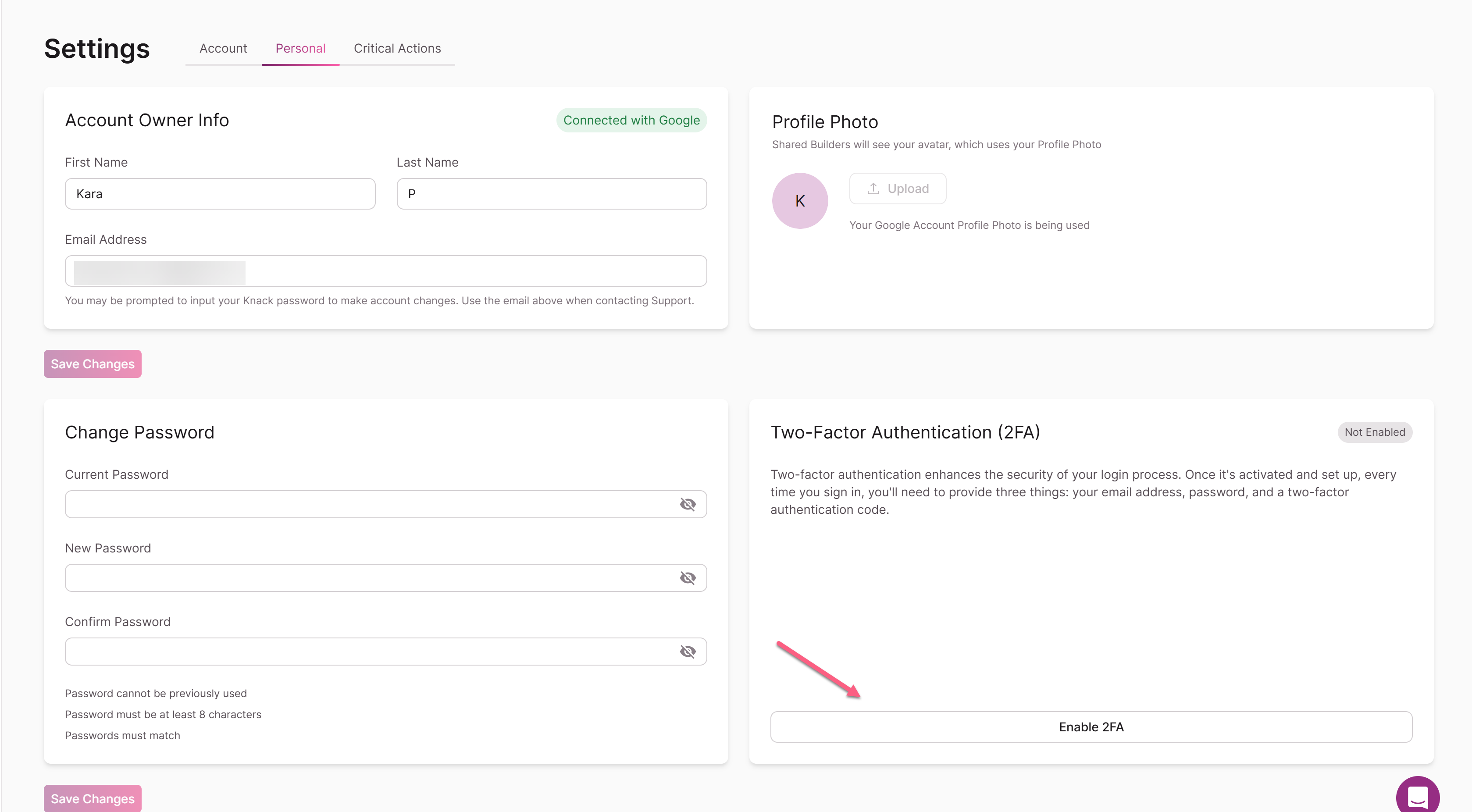
Two-factor authentication is enabled from the Security section of your Knack Dashboard.
- Log in to your Knack Dashboard
- Navigate to Settings: Personal
- Click Enable 2FA
You'll be prompted to complete three steps:
- Install an authenticator app — Download and install an authenticator app on your mobile device. We recommend Authy or Google Authenticator. Microsoft Authenticator and other TOTP-compatible apps also work.
- Scan the QR code — Open your authenticator app and scan the QR code displayed on screen. This links your Knack account to the app.
- Enter the verification code — Your authenticator app will display a 6-digit code. Enter this code to confirm the setup.
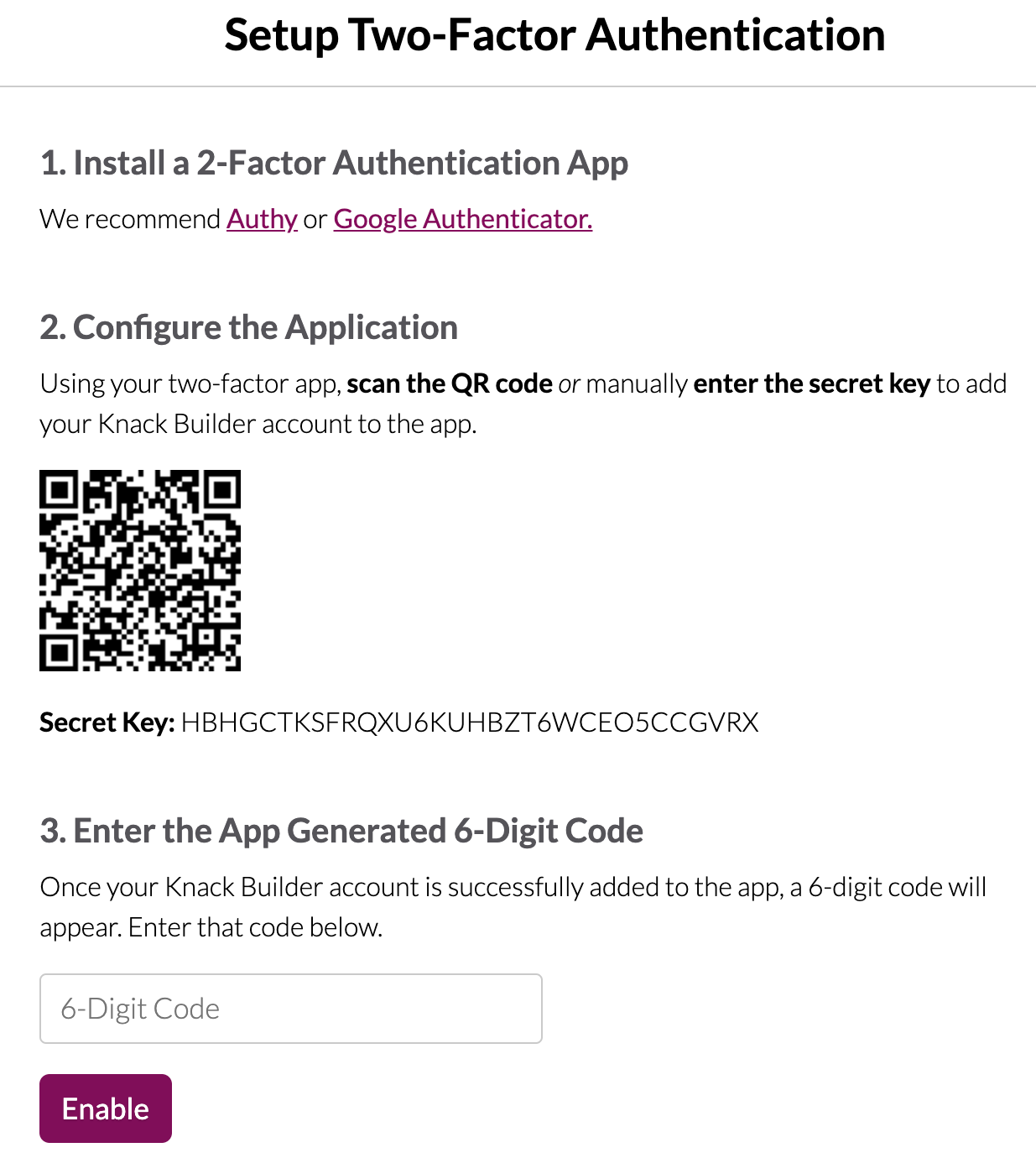
Once complete, you'll be required to enter a verification code each time you log into the Builder.
Disabling Two-Factor Authentication
To disable 2FA on your Knack account:
- Navigate to the Security section of your Knack Dashboard
- Click Disable 2FA
- Enter the 6-digit code from your authenticator app when prompted
- Click Disable to confirm
Two-factor authentication will be removed from your account immediately.
Notes and Troubleshooting
I can't log in to my account.
If you've lost access to your authenticator app or device and can't log in, contact Knack support by submitting this form or emailing [email protected] with your account email.
Can I force shared builders to use 2FA?
Two-factor authentication is only available for individual Knack account owners at this time. There is no option to require shared builders to enable 2FA.
Updated 25 days ago